You have fifty blog posts. Some rank, most do not. And when you look closely, you realise most of those posts are islands: nothing links to them, they link to nothing, and Google has no idea how they connect to the rest of your site. That is an internal linking problem, and it is one of the cheapest, fastest SEO wins available. Internal links cost nothing, require no outreach, and are entirely under your control. Yet most websites treat them as an afterthought. This guide covers what internal linking is, why it matters, how to build a strategy that actually moves rankings, and the mistakes that quietly waste your site's authority.
What is internal linking?
An internal link is any link from one page on your website to another page on the same website. Your navigation menu, footer links, breadcrumbs, and the links inside your blog content are all internal links. The ones that matter most for SEO are contextual links: links placed naturally inside the body of your content, pointing to related pages.
External links (backlinks) come from other websites to yours. Internal links move visitors and authority around inside your own site. Both matter, but internal links are the ones you control completely.
Why internal linking matters for SEO
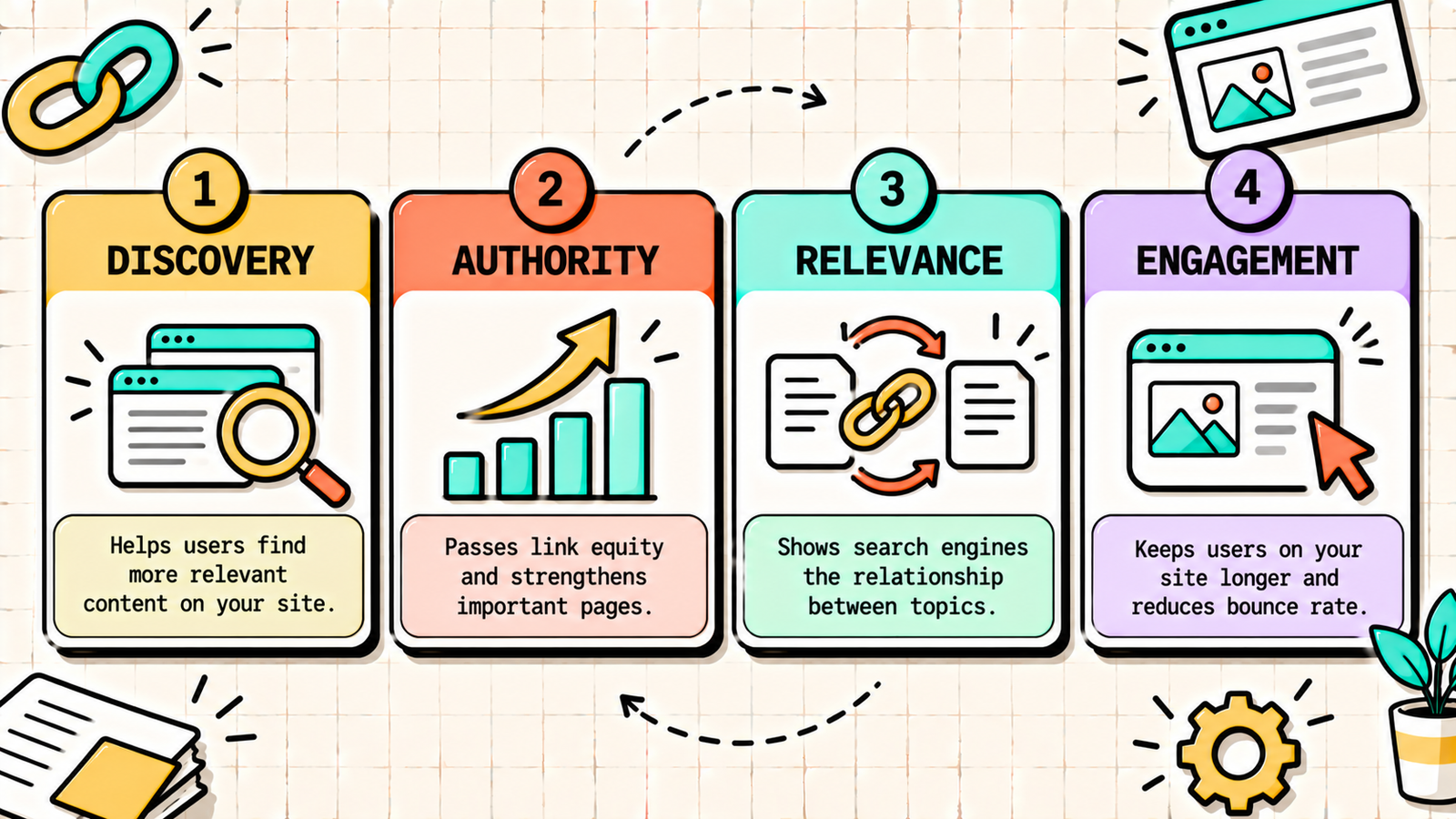
Internal links do four important jobs.
They help Google discover pages. Google finds new pages by following links. A page with no internal links pointing to it (an orphan page) may never get crawled or indexed properly, no matter how good it is.
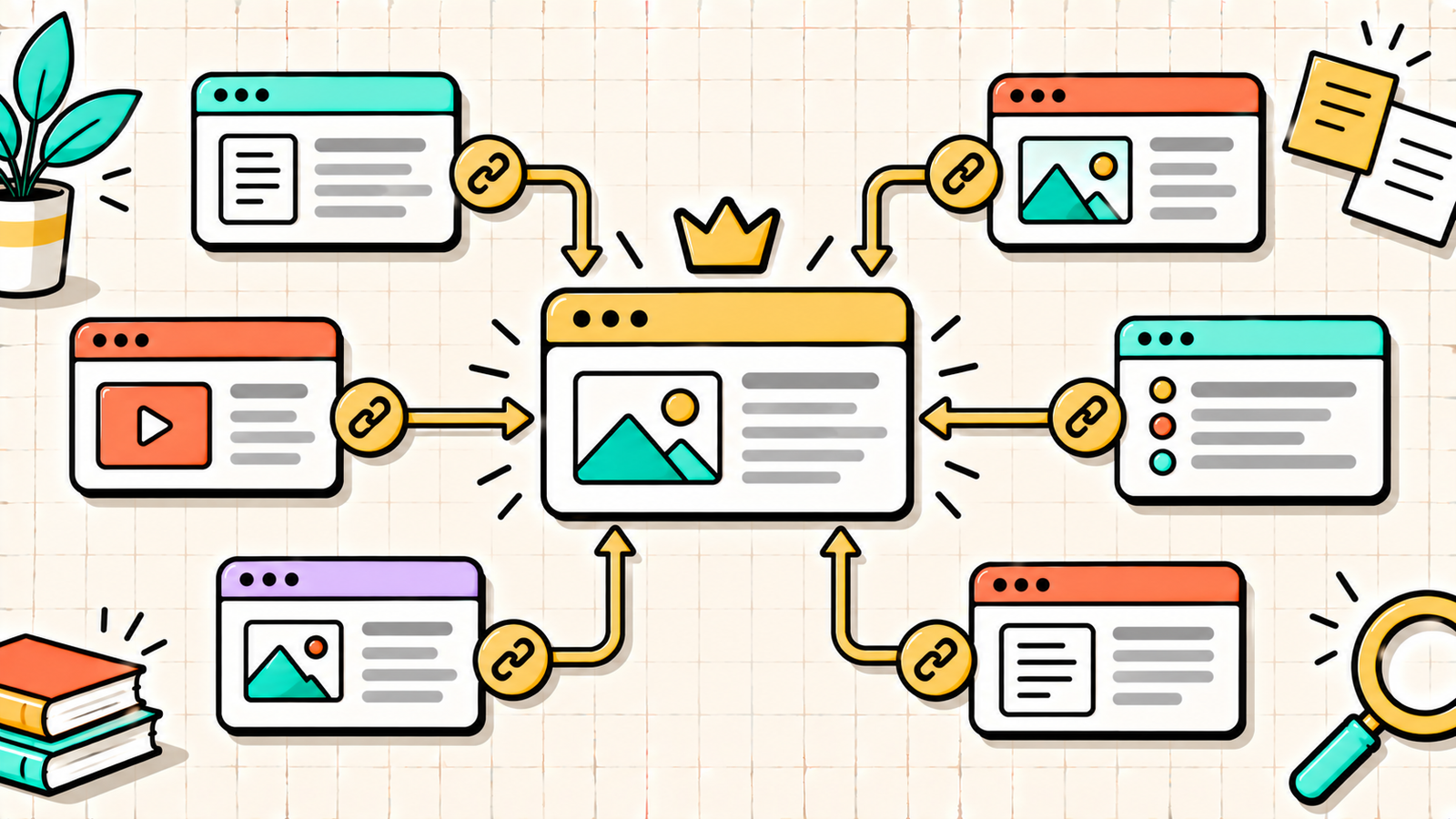
They spread authority across your site. When a page earns backlinks, it gains authority. Internal links pass some of that authority to the pages they point to. Linking from your strongest pages to the pages you want to rank is one of the most effective ways to lift them.
They show Google how your content is related. Links between related pages signal topical relationships. A cluster of interlinked posts about SEO tells Google your site has depth on that topic, which builds topical authority.
They keep visitors on your site longer. Relevant internal links give readers a natural next step, increasing pages per session and time on site, and moving them closer to conversion.
Types of internal links
| Link type | Where it appears | SEO value |
|---|---|---|
| Contextual links | Inside body content | Highest, carries relevance and anchor context |
| Navigation links | Main menu | High for key pages, sitewide authority |
| Footer links | Site footer | Low to moderate, sitewide but less weight |
| Breadcrumbs | Top of page | Moderate, shows hierarchy, helps crawling |
| Related posts | End of articles | Moderate, useful for discovery |
| Sidebar links | Sidebar widgets | Low, often seen as boilerplate |
Contextual links are where most of your internal linking effort should go, because they carry the strongest relevance signals.
How to build an internal linking strategy
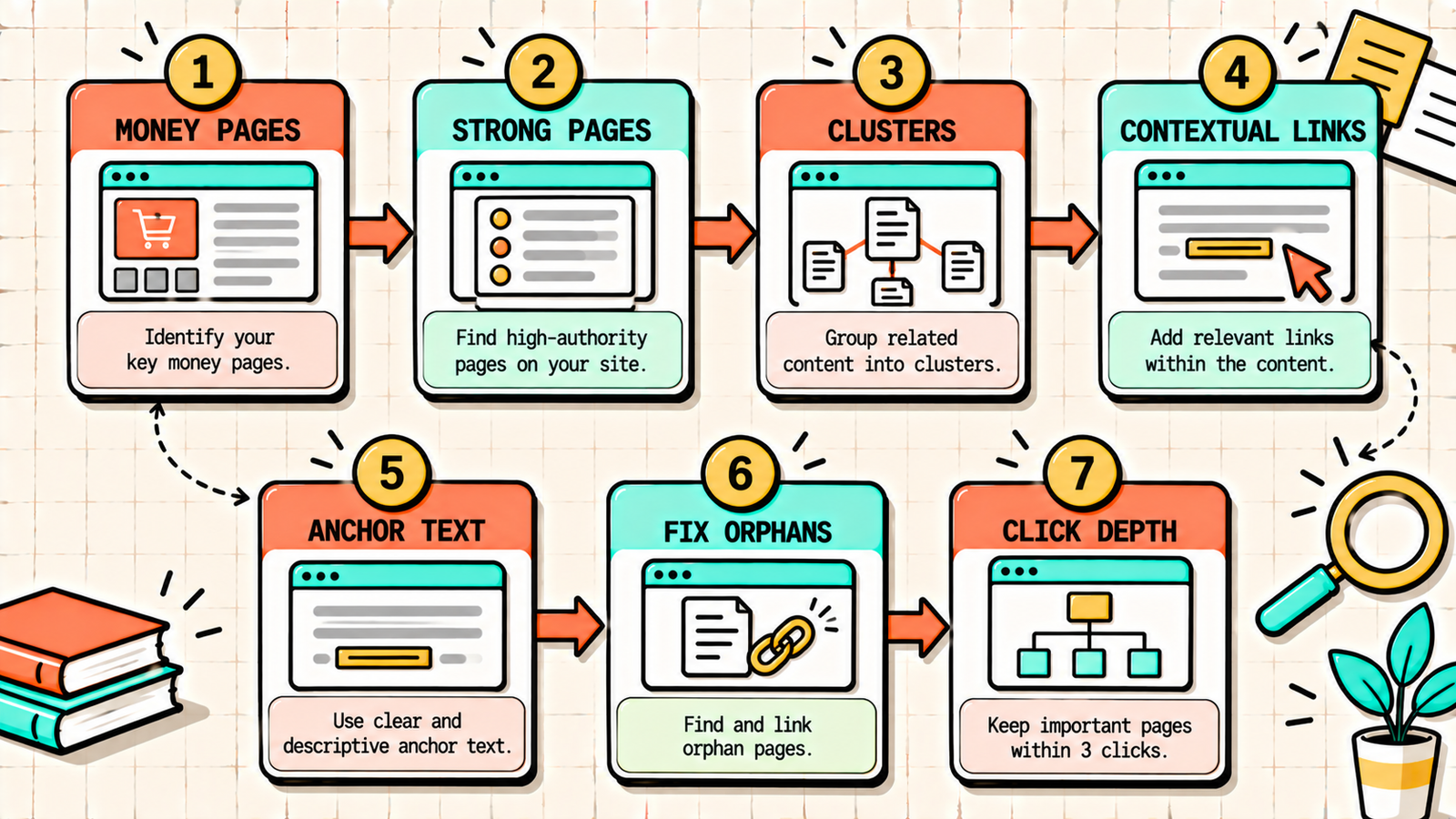
1. Identify your most important pages
Start by listing the pages you most want to rank: service pages, pillar guides, high-converting product or category pages. These are your money pages. Your internal linking should funnel authority toward them.
2. Find your strongest pages
In Google Search Console or an SEO tool, find the pages that already have the most backlinks and traffic. These pages hold the most authority. Links from them to your money pages pass the most value.
3. Build topic clusters
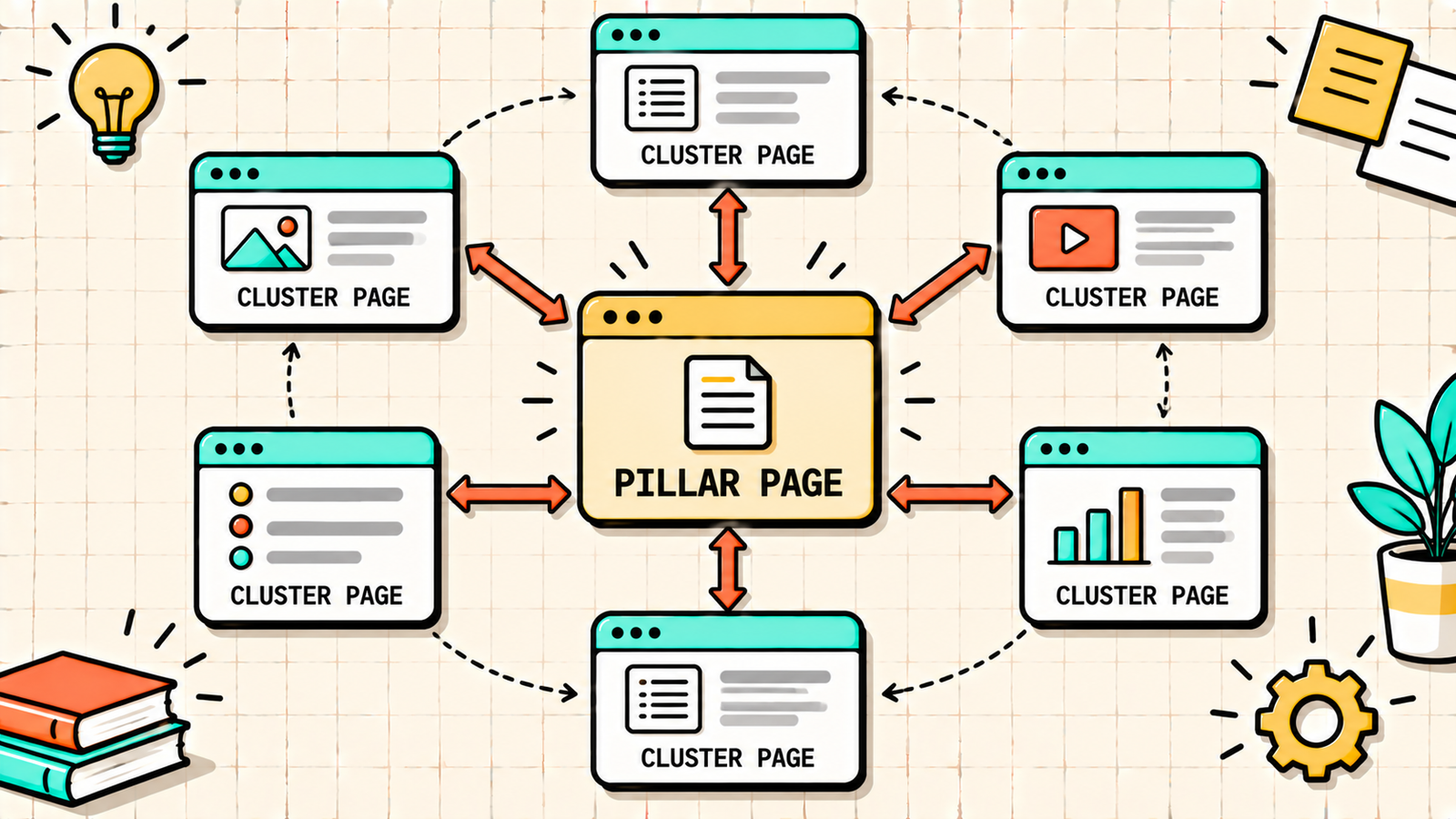
Organise your content into clusters: one comprehensive pillar page on a broad topic, surrounded by cluster pages on specific subtopics. Every cluster page links to the pillar, and the pillar links to every cluster page. Cluster pages also link to each other where relevant. This hub-and-spoke structure is the backbone of a strong internal linking strategy.
For example, a pillar page on "SEO for beginners" would link to cluster posts on keyword research, on-page SEO, technical SEO, link building, and search intent, and each of those would link back to the pillar.
4. Add contextual links in every new post
Every time you publish, add three to five internal links to relevant existing posts, and go back to two or three older posts to add links pointing to the new one. The second half of that habit is what most people skip, and it is why new posts stay invisible for so long.
5. Use descriptive anchor text
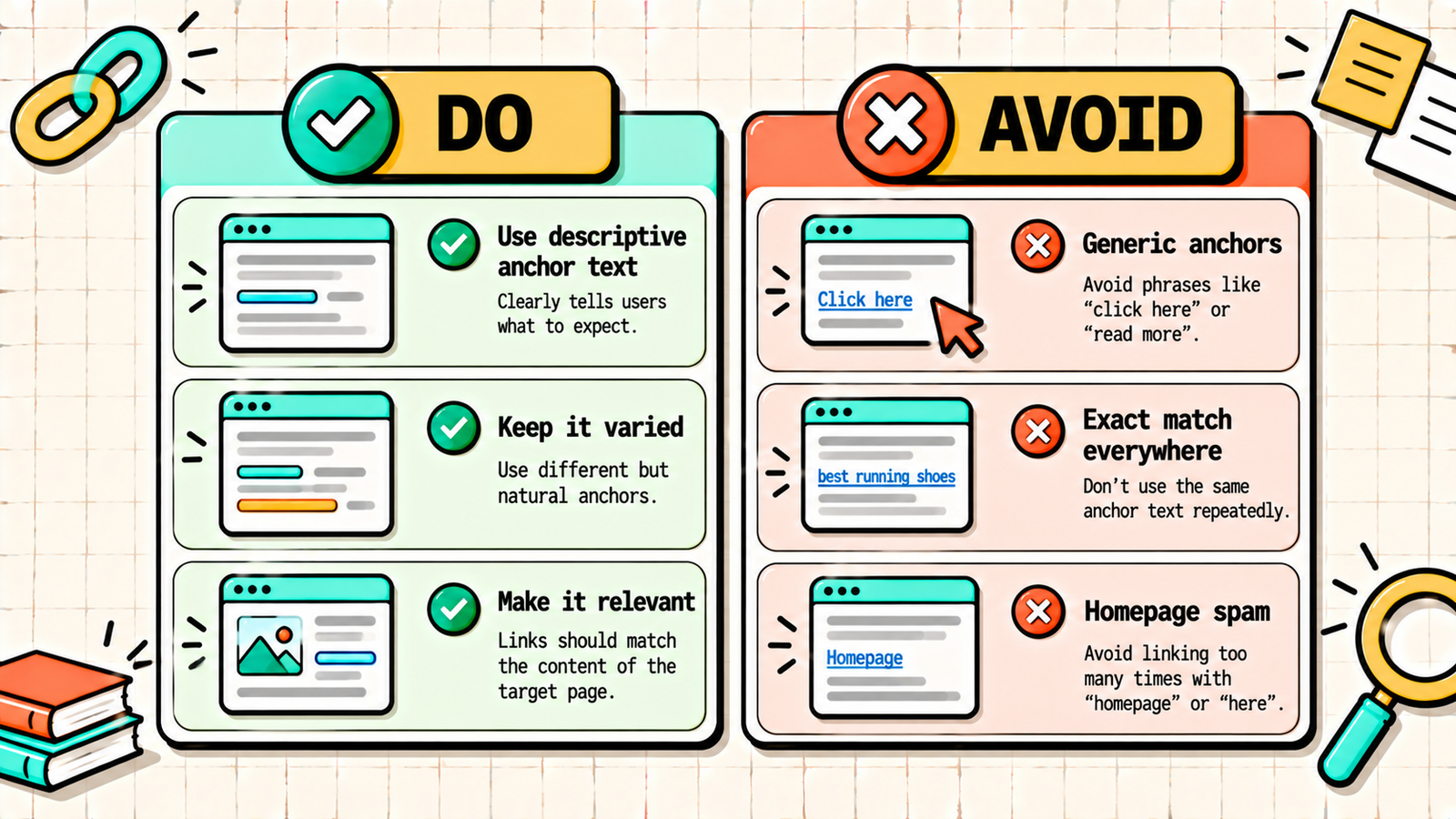
Anchor text is the clickable text of a link. It tells Google and the reader what the linked page is about. Use descriptive, natural phrases that reflect the target page's topic: "our guide to keyword research" rather than "click here." Vary the wording across links rather than using the exact same keyword every time, which can look manipulative.
6. Fix orphan pages
Orphan pages are pages with no internal links pointing to them. Crawl your site with Screaming Frog or check an SEO tool's site audit to find them. Either link to them from relevant pages or, if they no longer serve a purpose, redirect or remove them.
7. Keep important pages close to the homepage
Click depth is how many clicks it takes to reach a page from the homepage. Pages buried five or six clicks deep get crawled less and receive less authority. Keep your most important pages within three clicks of the homepage through navigation, category pages, and contextual links.
How many internal links should a page have?
There is no fixed number, but a practical guideline is three to five contextual internal links per 1,000 words of content, plus your navigation and footer. The rule is relevance, not volume: every link should point to a page that genuinely helps the reader who is reading that section. A page crammed with fifty internal links dilutes the value of each one and hurts readability. A page with zero wastes an opportunity.
Internal linking and anchor text best practices
| Do | Avoid |
|---|---|
| Use descriptive phrases ("how to write meta descriptions") | Generic text ("click here," "read more") |
| Vary anchor text naturally | Exact-match keyword on every single link |
| Link to the most relevant page for the context | Linking to the homepage from every post |
| Place links early in the content where natural | Stuffing links into one paragraph |
| Link to pages you want to rank | Linking only to your newest posts |
We'll find exactly where your internal linking is wasting authority.
Get a clear, data-backed plan to rebuild your internal linking structure, spread authority, and lift rankings without a single backlink.
How to find internal linking opportunities
Finding where to add links is easier than it sounds. Use a Google site search: type "site:yourdomain.com keyword" to find every page on your site that mentions a topic, then add links from those pages to your target page. Use Google Search Console: find the queries a target page ranks for, then search your site for pages mentioning those queries. Use an SEO plugin: tools like Rank Math (with Link Genius) or Link Whisper suggest internal links as you write. And use a crawler: Screaming Frog shows the number of inlinks for every page, so you can spot important pages with too few.
Internal linking for ecommerce sites
Ecommerce sites have their own internal linking patterns. Category pages should link to their most important product pages and subcategories. Product pages should link back to their category and to related products ("customers also bought," "complete the look"). Blog content should link to relevant category and product pages, which is how informational traffic gets funnelled toward commercial pages. And breadcrumbs are essential, since they create a clean hierarchy for both Google and shoppers. A well-linked ecommerce site lets authority flow from the homepage and blog down to the category and product pages that generate revenue.
How to audit your internal links
Run an internal link audit every few months. Crawl your site and export the inlink count for every page. Check that your money pages have the most internal links pointing to them. Find orphan pages and pages with very few inlinks. Look for broken internal links (pointing to 404 pages) and fix them. Check for redirect chains, where internal links point to URLs that redirect, and update them to point directly to the final URL. And review anchor text distribution to make sure it is descriptive and varied. An audit takes an hour or two and often reveals quick fixes that lift rankings within weeks.
Internal linking and AI search
Internal links also help AI search systems like Google AI Overviews, ChatGPT, and Perplexity understand your site. When your content on a topic is organised into a well-linked cluster, crawlers can see that your site covers the subject in depth, which makes your pages more likely to be treated as an authoritative source. Clear, descriptive anchor text also helps these systems understand exactly what each linked page is about. A strong internal linking structure is not just a traditional SEO tactic. It is part of building the kind of topical authority that gets your brand cited in AI-generated answers.
Common internal linking mistakes
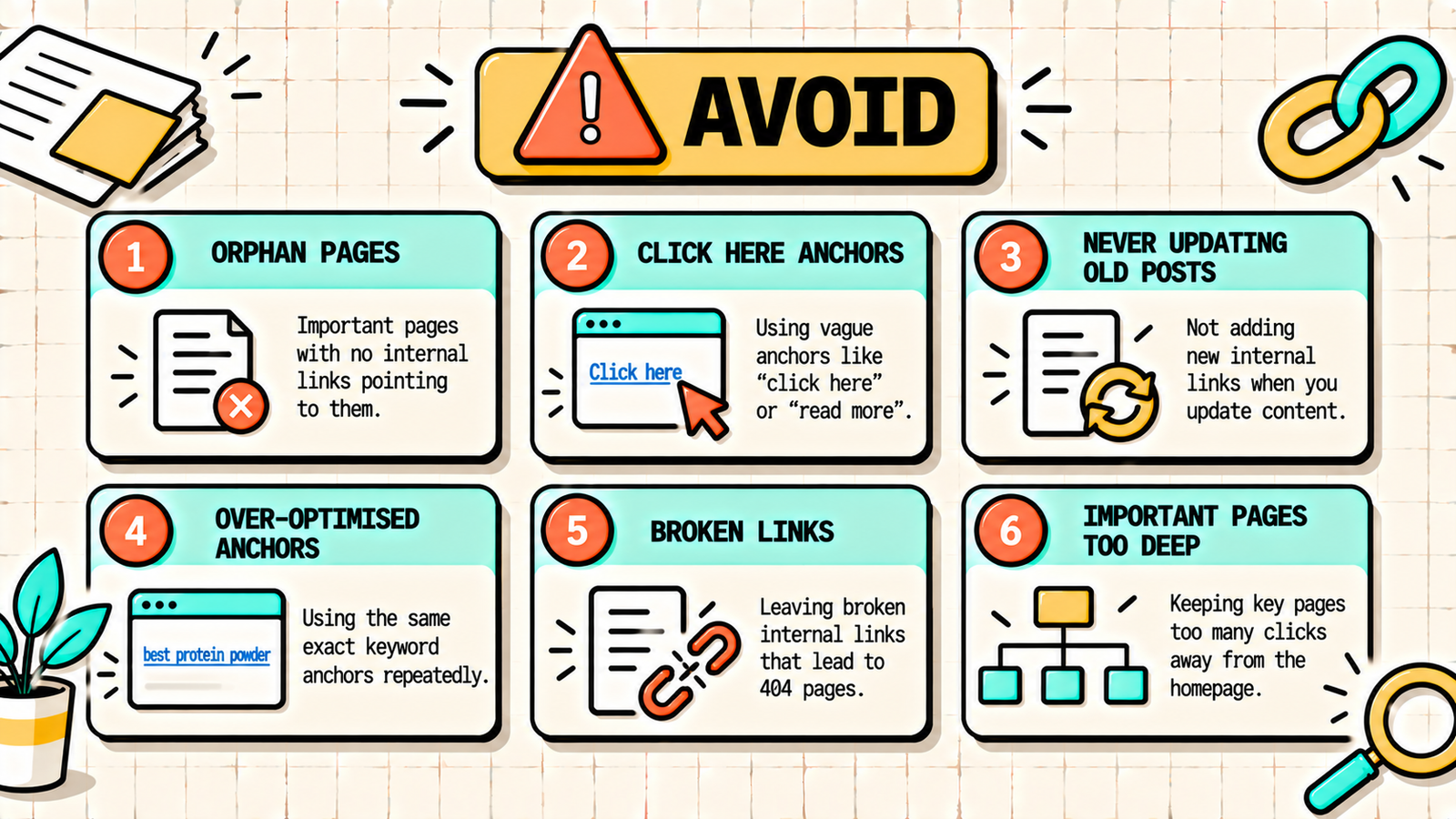
A few patterns waste your site's authority. Publishing posts without linking to them from anywhere leaves them orphaned. Using "click here" or "read more" as anchor text wastes the relevance signal. Linking only from new posts to old ones, never updating old posts to link to new ones, keeps new content buried. Over-optimising anchor text with the exact same keyword on every link looks manipulative. Letting broken internal links pile up after deleting or moving pages creates dead ends for users and crawlers. And burying important pages deep in the site structure starves them of authority. Every one of these is fixable in an afternoon.
Search Intent in SEO: How to Match What Google Wants to Rank
The bottom line
Internal linking is the most underused free SEO lever you have. Build topic clusters around pillar pages, add three to five contextual links in every post, update older posts to link to new ones, use descriptive anchor text, fix orphan pages, and keep important pages within three clicks of the homepage. Audit every few months. Do this consistently and you spread authority to the pages that matter, help Google understand your site, and keep readers moving toward conversion, all without a single backlink.
If you want experts to audit and rebuild your internal linking structure, LetMeRank handles internal linking as part of every on-page SEO engagement, starting with a free audit.