You uploaded a video you spent hours making. It has three views, two of which are yours, and YouTube's algorithm apparently decided nobody should ever see it. The problem is rarely the content. It is that the video was never optimised for the way YouTube finds, ranks, and recommends content.
YouTube is the second largest search engine in the world, and just like Google, it rewards the videos that give it the right signals. This guide covers how YouTube SEO works, the specific optimisations that get your videos ranked and recommended, which tools help, and the mistakes that keep most channels invisible.
What is YouTube SEO?
YouTube SEO is the practice of optimising your videos so they rank higher in YouTube search results and get recommended more often by the algorithm. It covers your titles, descriptions, tags, thumbnails, and the content itself, all tuned so YouTube understands what your video is about and shows it to the right viewers.
YouTube ranks videos based on two main things: relevance (does the video match what the person searched for) and performance (do viewers click, watch, and engage). Your job is to give YouTube clear signals about what the video covers, then make the video good enough that people actually watch and interact. The SEO gets you in front of viewers. The content keeps them there.
How YouTube's algorithm works
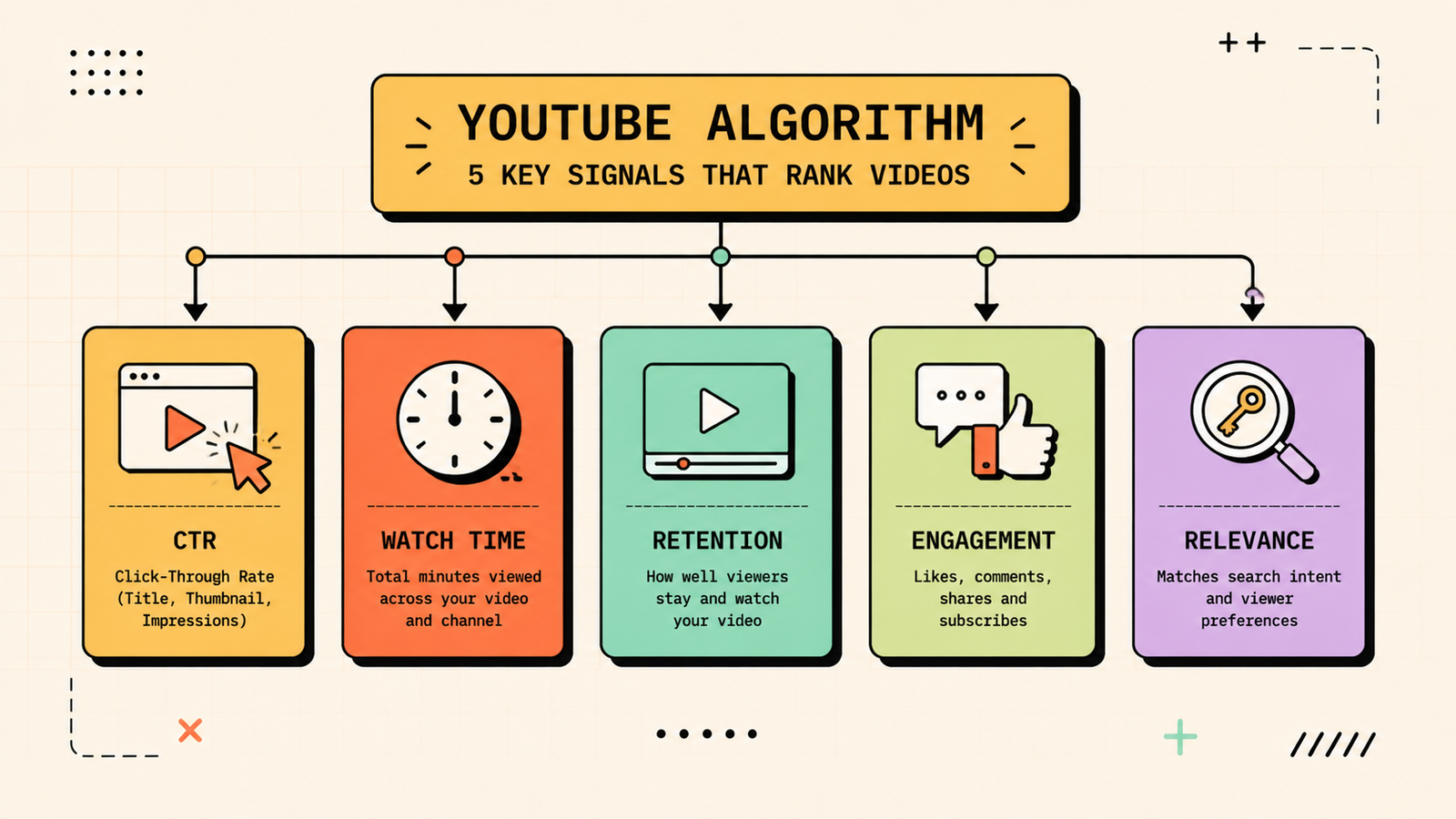
Understanding the algorithm makes every optimisation decision clearer. YouTube ranks and recommends videos based on click-through rate (do people click your thumbnail when they see it), watch time (how long do they watch), audience retention (what percentage of the video do they watch), engagement (likes, comments, shares, subscribes), and relevance (does the video match the search or the viewer's interests). The algorithm is trying to find the videos that people will enjoy and watch for a long time. Your goal is to make videos people click on, watch fully, and engage with, then give YouTube the metadata that helps it understand who to show them to.
How to rank your YouTube videos, step by step
1. Do keyword research for YouTube
Just like website SEO, YouTube SEO starts with finding what people actually search for. Use YouTube's own search bar (start typing and see the autocomplete suggestions), check Google Trends for YouTube search specifically, and use tools like TubeBuddy or VidIQ to see search volume and competition for YouTube keywords. Target specific, lower-competition keywords when your channel is small, and work toward broader terms as you grow.
2. Optimise your title
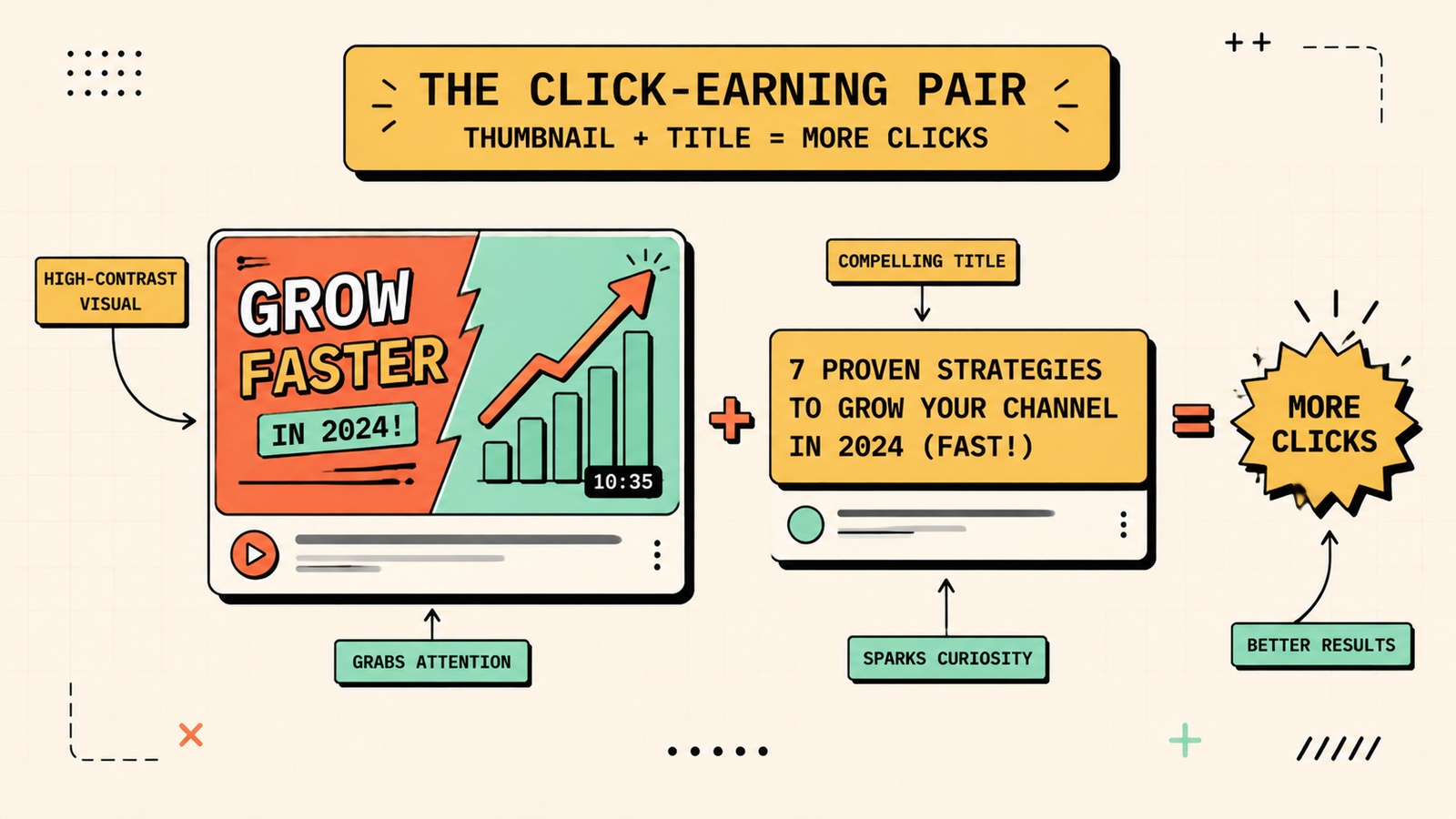
Your title is one of the strongest ranking signals and the first thing viewers see. Include your target keyword naturally and near the front. Keep it clear and specific rather than vague or clickbait. Make it compelling enough to earn a click. And keep it under about 60 characters so it does not get cut off on mobile. A title that clearly promises what the video delivers is what works.
3. Write a strong description
Your description gives YouTube detailed context about your video's content. Start with a one or two sentence summary that includes your keyword, since the first few lines show in search results. Then write a longer description (at least 200 words) covering what the video covers, who it is for, and related topics. Include relevant keywords naturally. Add timestamps, links, and a brief bio. A detailed description helps YouTube match your video to more searches.
4. Use tags and hashtags
Tags are less powerful than they used to be, but they still help YouTube understand your topic, especially for new channels. Use your target keyword as the first tag, then add related variations and broader topic tags. Add two or three relevant hashtags that appear above your title. Do not stuff unrelated tags, since that hurts rather than helps.
5. Create a thumbnail that earns clicks
Your thumbnail is the single biggest factor in whether people click your video when they see it. Use a custom thumbnail with clear, readable text (a few words maximum), a strong, high-contrast image, and a visual that creates curiosity about the content. Test what works for your audience: some niches respond to faces, others to results, others to before-and-after. A great thumbnail paired with a clear title is what drives click-through rate, which is one of the most important ranking signals.
6. Hook viewers in the first 10 seconds
Audience retention (how much of the video people watch) is a major ranking factor, and the biggest drop-off happens in the first ten seconds. Open with a hook that tells viewers exactly what they will get and why it is worth their time. Skip long intros, logos, and pleasantries. Get to the point fast, and the algorithm rewards you for keeping people watching.
7. Encourage engagement
Likes, comments, shares, and subscribes all signal to YouTube that your video is worth promoting. Ask viewers to engage at natural points in the video, but make the ask specific: "comment below which tip you are going to try first" works better than a generic "please like and subscribe." Reply to comments, since a video with active discussion gets promoted more than one with silence.
8. Add chapters and timestamps
Adding chapters (timestamps in your description that YouTube turns into clickable sections) helps viewers navigate your video and helps YouTube understand the structure and topics you cover. Chapters improve watch time because viewers can jump to the section they care about, and they help YouTube surface specific sections in search results.
We'll find exactly why your videos aren't getting the views they deserve.
Get a clear, data-backed plan to optimise your YouTube channel for search and recommendations, turning it into a genuine growth engine.
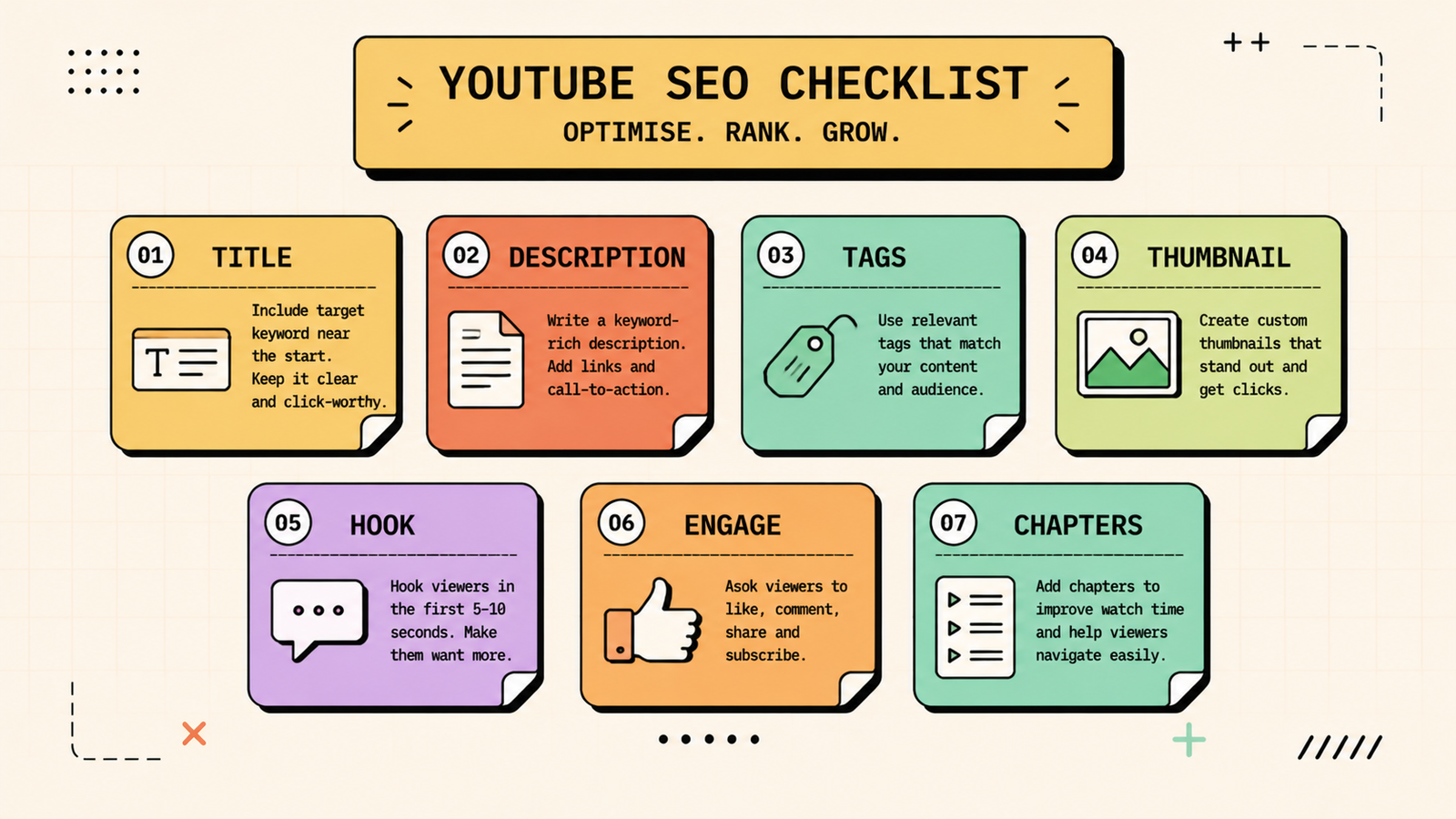
YouTube SEO checklist at a glance
| Element | What to do |
|---|---|
| Title | Keyword near front, clear, compelling, under ~60 chars |
| Description | Keyword in first line, detailed 200+ word description |
| Tags | Target keyword first, related variations, no stuffing |
| Thumbnail | Custom, high-contrast, readable text, curiosity-driven |
| Hook | First 10 seconds deliver value, skip long intros |
| Engagement | Specific asks for likes, comments, subscribes |
| Chapters | Timestamps in description for navigation |
| Cards and end screens | Link to related videos to keep viewers on your channel |
Social Media Marketing Strategy: How to Build One That Grows Your Brand (Not Just Followers)
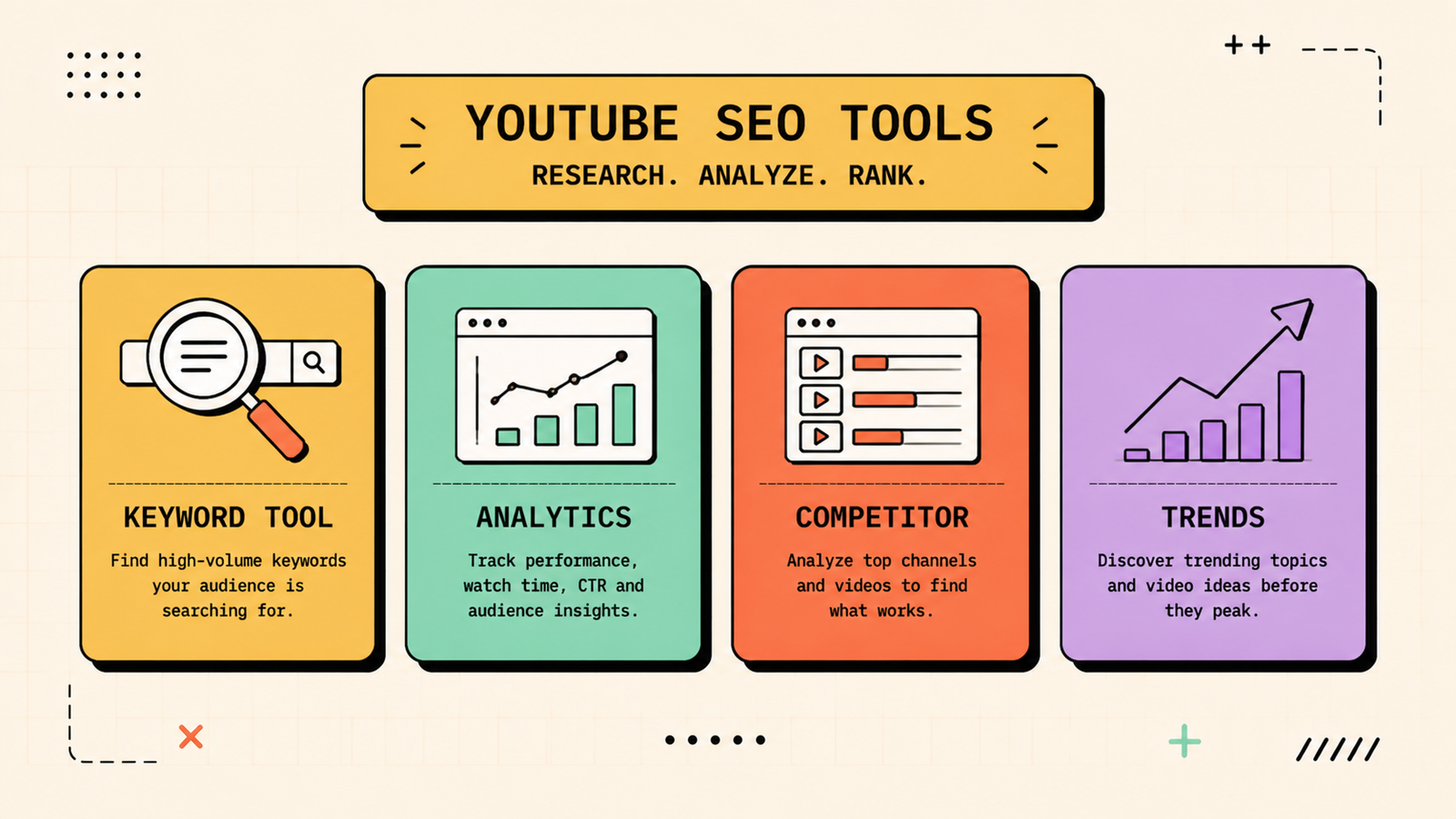
Best YouTube SEO tools
A few tools make the research and optimisation faster.
| Tool | What it does |
|---|---|
| TubeBuddy | Keyword research, SEO scoring, tag suggestions, A/B thumbnails |
| VidIQ | Keyword research, analytics, competitor tracking |
| YouTube Studio | Free analytics, impressions, CTR, retention data |
| Google Trends | Compare YouTube search interest over time |
TubeBuddy and VidIQ both have free tiers that cover the basics. YouTube Studio is free and essential for every creator.
YouTube SEO vs Google SEO
YouTube SEO shares the same principles as Google SEO (relevance, authority, user experience) but the signals differ. On Google, you optimise text content, backlinks, and page speed. On YouTube, you optimise titles, thumbnails, watch time, and engagement. The overlap is growing: YouTube videos now appear in Google search results more than ever, so a well-optimised YouTube video can rank on both platforms. And Google's AI Overviews sometimes embed YouTube clips, which makes YouTube SEO a genuine part of your broader search strategy.
How to get YouTube videos to rank on Google
Many YouTube videos rank on Google's first page for relevant queries, which gives you visibility on both platforms. To increase the chances, target keywords that already show video results on Google (search your keyword and see if videos appear). Create content that matches Google's search intent for that query. Use a keyword-rich, descriptive title and description. Embed the video on a relevant blog post on your own site. And add a full transcript or summary on the page. This combination gives Google multiple signals to rank the video.
How long does YouTube SEO take?
New channels take time to build momentum, similar to a new website. Most videos get their initial push from YouTube within the first 48 hours, but long-term search ranking builds over weeks and months as the video accumulates views, watch time, and engagement. Older videos that are well-optimised can continue growing for months or years as YouTube discovers them through search. The key is consistency: channels that publish regularly and optimise every video build a library that compounds, while channels that post occasionally and stop never reach that tipping point.
WhatsApp Marketing: How to Use It for Your Business (Strategy, Tools and Examples)
Common YouTube SEO mistakes
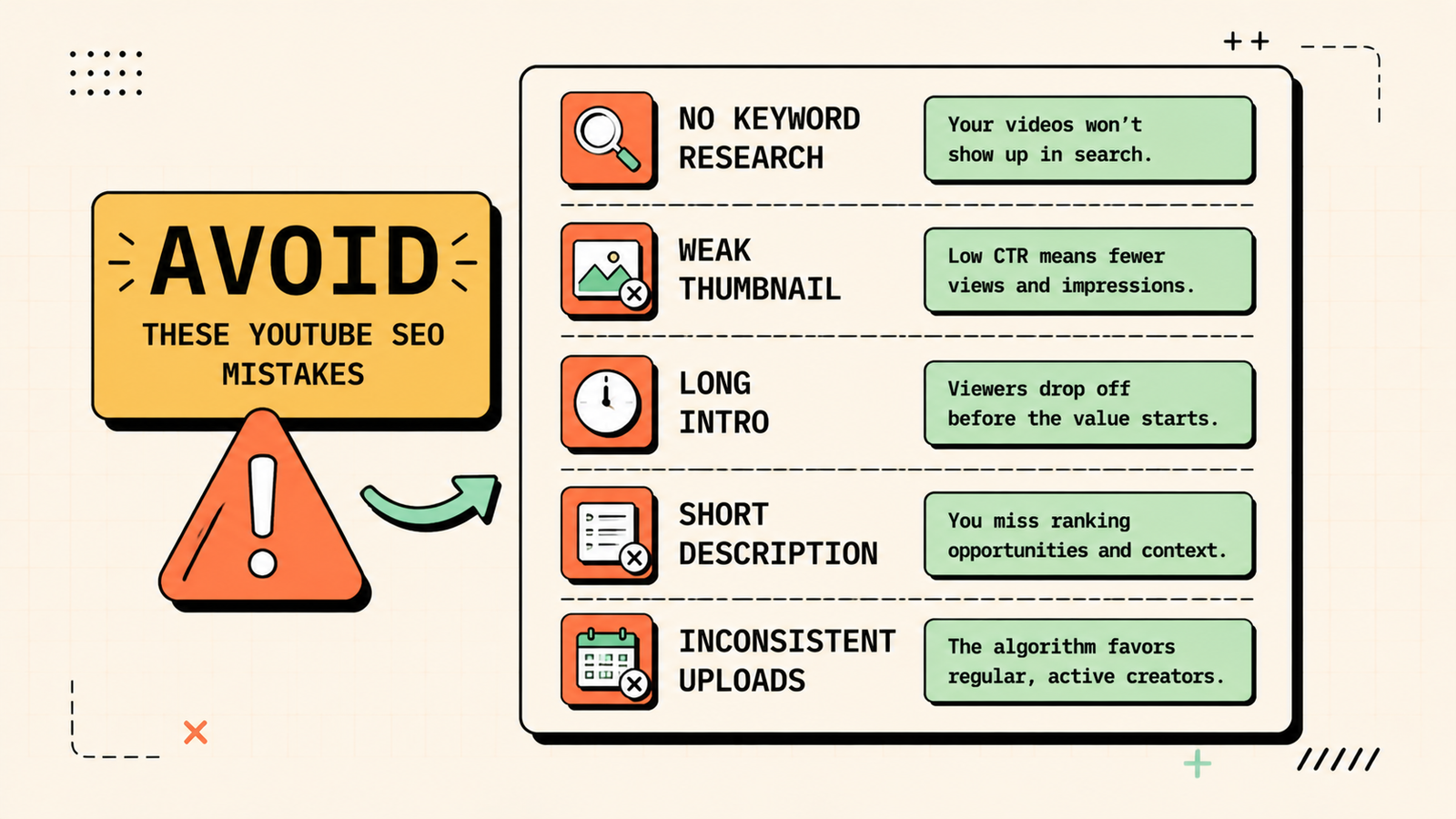
A few patterns keep most channels invisible. Not doing keyword research means you make videos nobody searches for. Weak thumbnails mean nobody clicks even when they see your video. Long, unfocused intros kill retention in the first ten seconds. Short, vague descriptions give YouTube no context to work with. Ignoring analytics means you never learn what is working. And inconsistent uploads prevent the compounding that builds a channel. Fix these fundamentals and you give every video a genuine chance to be found.
YouTube Shorts and SEO
Shorts (videos under 60 seconds) are YouTube's fastest-growing format and play by slightly different rules. They are primarily discovery-driven rather than search-driven, meaning the algorithm pushes them to new audiences based on engagement rather than keyword matching. That said, Shorts still benefit from clear titles, relevant hashtags, and a hook in the first second. They are excellent for reaching new viewers, growing subscribers, and driving people to your longer content. The best strategy is to use Shorts as top-of-funnel discovery tools that introduce people to your channel, then let your long-form, search-optimised videos do the deeper work of building trust and driving action.
YouTube content ideas that rank
If you are not sure what to make videos about, start with these reliable formats. Answer a specific question your audience searches for, since question-based videos rank well and attract high-intent viewers. Do a "how to" tutorial on a skill or task in your niche. Compare two products, tools, or approaches, since comparison videos get high watch time and engagement. Review a product or tool honestly. Share a list or roundup, like "5 best tools for X." React to or explain a trend or news item in your field. And show a real process or result, like a before-and-after, a case study, or a build. Every format targets a search query or a recommendation trigger, which is what gets your videos found rather than forgotten.
AI Tools for Marketing
The bottom line
YouTube SEO is how you get your videos found by the people searching for what you create. Do keyword research, optimise your title and description, create click-worthy thumbnails, hook viewers fast, encourage engagement, and add chapters. Use free tools like YouTube Studio plus TubeBuddy or VidIQ to guide the process. Stay consistent, learn from your analytics, and every video you publish adds to a library that keeps bringing viewers long after the upload.
If you found this useful, LetMeRank publishes practical guides on SEO, content, and organic growth across every channel.











