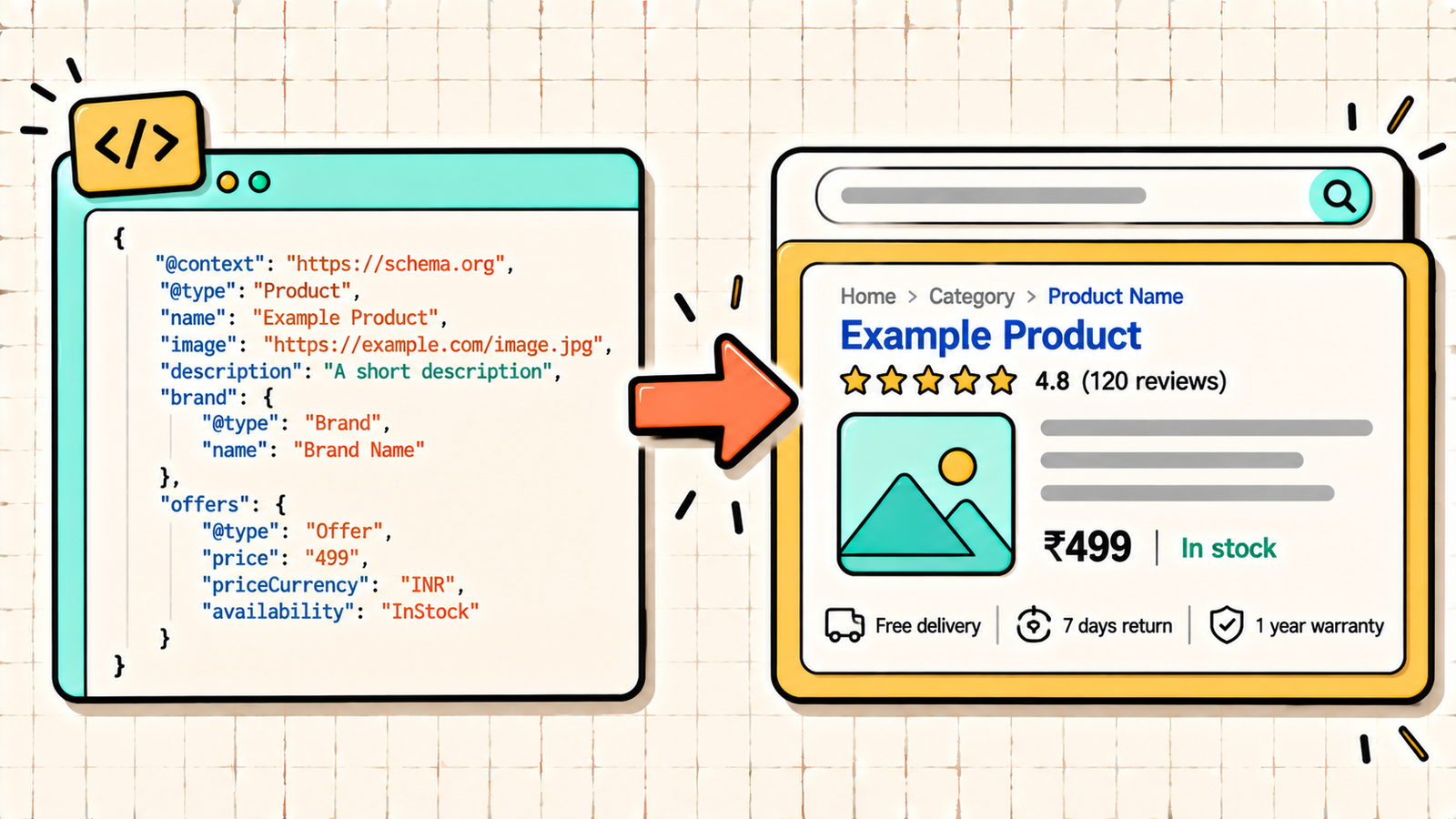
You search for a recipe and some results show star ratings, cooking time, and calories right in Google. You search for a product and some listings show price and stock status. You search a question and one result has an expandable FAQ underneath it. Meanwhile, your page shows a plain blue link and two lines of text. The difference is schema markup. It is code that tells search engines exactly what your content is, so they can display it in richer, more eye-catching ways. Schema does not directly boost rankings, but it can make your listing stand out, lift click-through rates, and help AI search systems understand and cite your content. This guide covers what schema markup is, which types matter, how to add it (with or without code), and how to test it.
What is schema markup?
Schema markup (also called structured data) is a standardised vocabulary of code you add to your web pages to describe their content in a way machines understand. The vocabulary comes from Schema.org, a project created jointly by Google, Bing, Yahoo, and Yandex, so it is recognised across search engines.
Humans can look at a page and instantly see that it is a recipe, a product, a review, or an article. Search engines have to infer that from text, which is error-prone. Schema removes the guesswork by labelling the content explicitly: "this is a product, its price is 1,499 rupees, it is in stock, and it has a 4.6 rating from 212 reviews."
Why schema markup matters
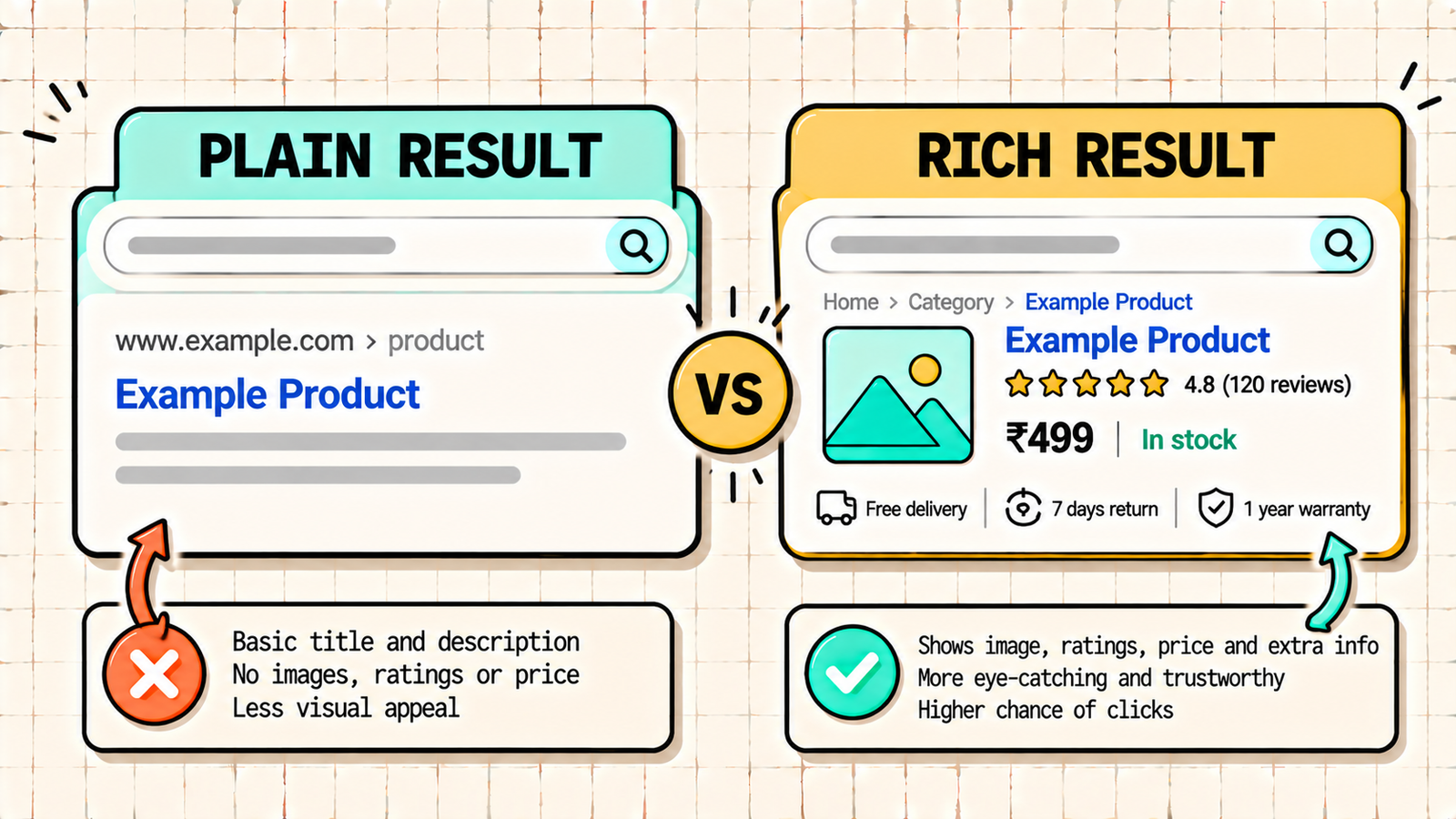
Rich results. Schema makes your page eligible for rich results: enhanced listings with stars, prices, images, FAQs, breadcrumbs, event dates, and more. Rich results take up more space and attract more attention than plain listings.
Higher click-through rate. Because rich results stand out, they often earn more clicks at the same ranking position. A product listing showing "In stock, 4.6 stars" is more compelling than one without.
Better understanding by search engines. Schema helps Google connect entities: your organisation, your authors, your products, your locations. That clarity supports how Google understands and trusts your site.
AI search visibility. AI systems that generate answers rely on understanding content accurately. Clean structured data makes it easier for them to identify what your page is about, who wrote it, and what facts it contains, which supports being cited.
One important clarification: schema is not a direct ranking factor. Adding it will not move a page from position 20 to position 3. It improves how your result looks and how well search engines understand it, which can lift traffic indirectly.
The schema types that matter most
Schema.org has hundreds of types, but a handful cover what most businesses need.
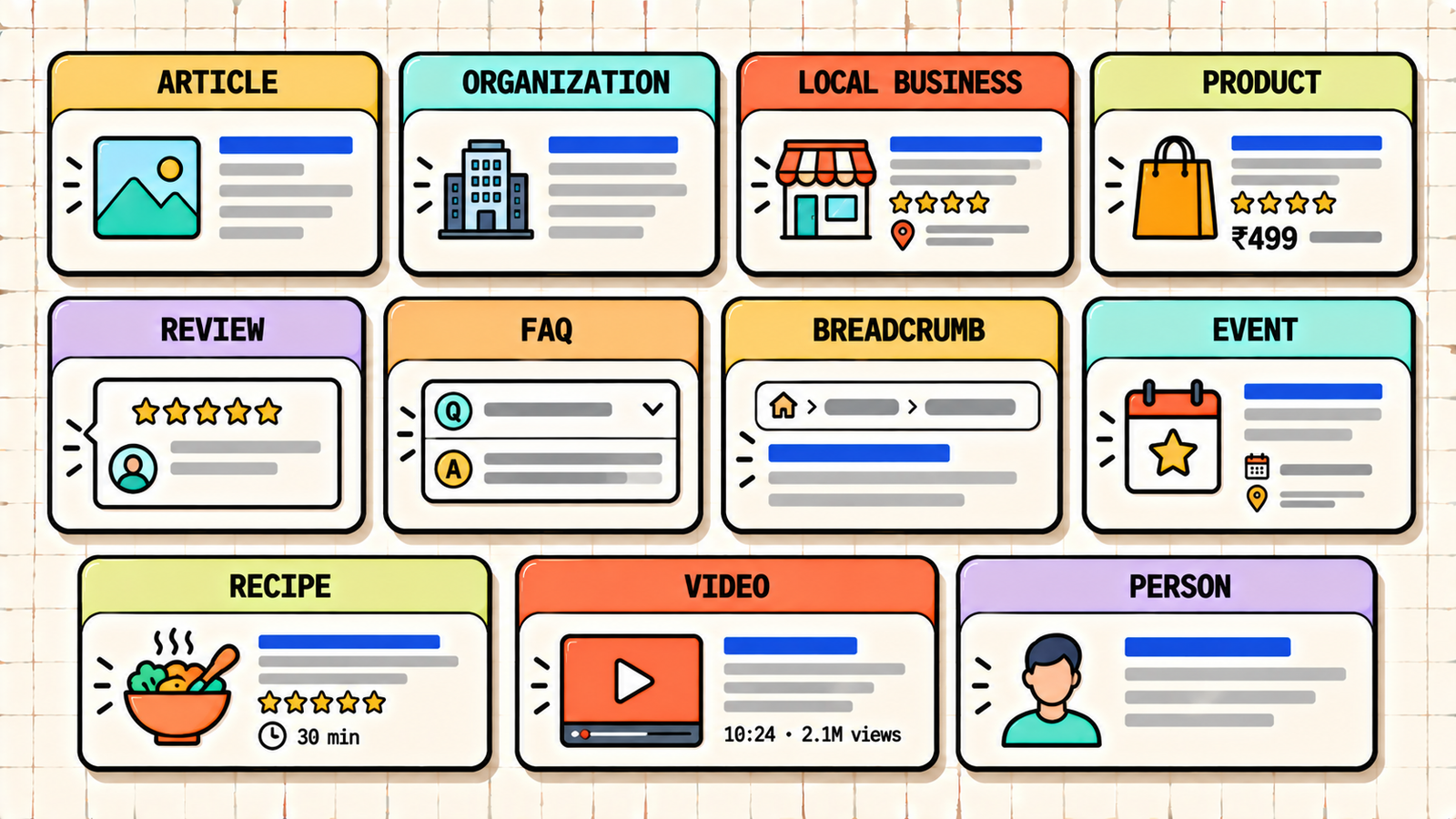
| Schema type | Use it for | Possible rich result |
|---|---|---|
| Article / BlogPosting | Blog posts and news articles | Headline, image, date in Top Stories and Discover |
| Organization | Your company's identity | Knowledge panel details, logo |
| LocalBusiness | Physical businesses and service areas | Address, hours, phone in local results |
| Product | Product pages | Price, availability, ratings |
| Review / AggregateRating | Reviews and ratings | Star ratings |
| FAQPage | Pages with question and answer sections | FAQ content (now limited) |
| HowTo | Step-by-step instructions | Step details (limited on Google) |
| BreadcrumbList | Site hierarchy | Breadcrumb trail instead of URL |
| Event | Events with dates and locations | Event dates and venues |
| Recipe | Recipes | Cooking time, ratings, calories, image |
| VideoObject | Pages with video | Video thumbnail and key moments |
| Person | Authors and individuals | Author information, supports E-E-A-T |
A note on FAQ and HowTo rich results
In 2023, Google reduced FAQ rich results to well-known, authoritative government and health websites, and removed HowTo rich results. That means most sites will no longer see expandable FAQs under their listings. However, FAQ schema is still worth adding: it is valid structured data, it helps search engines and AI systems understand your question-and-answer content, and AI-generated answers frequently pull from clearly structured FAQ sections. Add it for understanding, not for the visual rich result.
Schema formats: JSON-LD, Microdata, RDFa
Schema can be written in three formats. JSON-LD is a block of JavaScript-style code placed in the page, separate from the visible content. Microdata and RDFa are attributes added directly inside your HTML tags. Google recommends JSON-LD because it is cleaner, easier to maintain, and does not tangle with your page design. Unless you have a specific reason, use JSON-LD.
Here is what simple Article schema looks like in JSON-LD:
<script type="application/ld+json">
{
  "@context": "https://schema.org",
  "@type": "BlogPosting",
  "headline": "Schema Markup for SEO: How to Add Structured Data",
  "author": {
    "@type": "Person",
    "name": "LetMeRank Team"
  },
  "publisher": {
    "@type": "Organization",
    "name": "LetMeRank",
    "logo": {
      "@type": "ImageObject",
      "url": "https://letmerankit.com/logo.png"
    }
  },
  "datePublished": "2026-09-30",
  "image": "https://letmerankit.com/images/schema-markup-featured.webp"
}
</script>
You do not need to memorise this. Plugins and generators create it for you. But seeing it once makes the concept concrete: it is simply a labelled description of the page.
How to add schema markup to your site
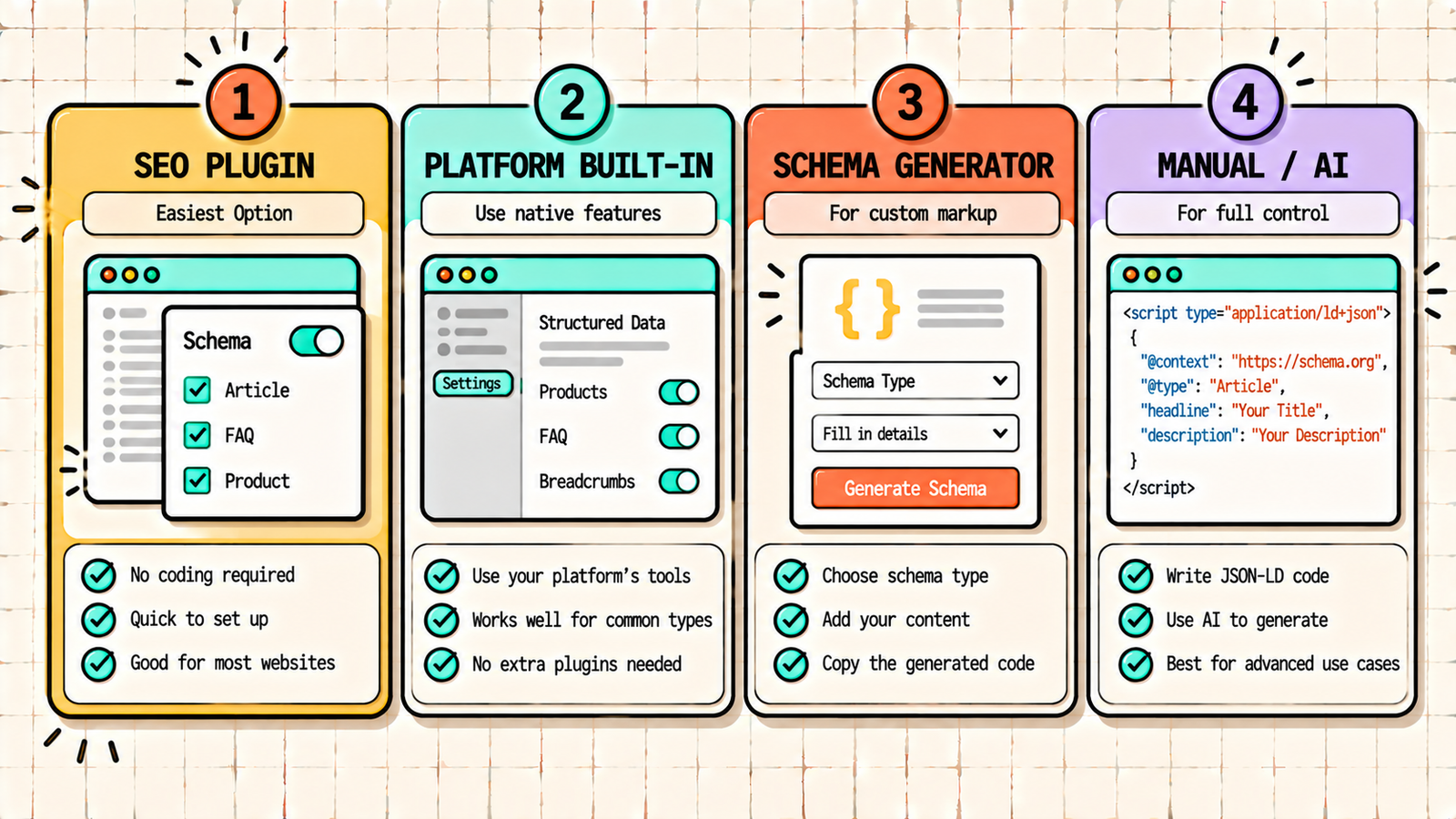
Option 1: Use an SEO plugin (WordPress)
If you use WordPress, this is the easiest route. Rank Math and Yoast both add Article, Organization, Person, BreadcrumbList, and WebSite schema automatically. Rank Math's schema generator lets you add Product, FAQ, HowTo, Recipe, Event, Video, LocalBusiness, and more from inside the post editor, with no code. For most WordPress sites, configuring your SEO plugin correctly covers 90 percent of what you need.
In Rank Math, set up your Organization or Person details in the Knowledge Graph settings, choose a default schema type for posts (Article or BlogPosting), and use the Schema tab in the editor to add specific types like FAQ to individual pages.
Option 2: Use your platform's built-in schema (Shopify, Wix, Webflow)
Shopify themes include basic Product schema, though it is often incomplete (missing reviews, brand, or identifiers). Apps like JSON-LD for SEO or Schema Plus fill the gaps. Wix adds basic schema automatically and lets you add custom markup per page. Webflow requires adding JSON-LD through custom code embeds, which you can generate dynamically using CMS fields.
Option 3: Use a schema generator
Free tools like the Merkle Schema Markup Generator or TechnicalSEO.com's generator let you fill in a form and produce JSON-LD code. Copy the code and paste it into your page's head section or a custom HTML block. This works for any platform.
Option 4: Write it manually or with AI
For custom needs, write JSON-LD yourself following Schema.org documentation, or ask ChatGPT or Claude to generate it from your page details. Always validate AI-generated schema before publishing, since it can include invalid properties or invented values.
We'll find exactly where your structured data is missing or broken.
Get a clear, data-backed plan to implement schema correctly, win rich results, and make your content easier for search engines and AI to understand.
How to test your schema markup
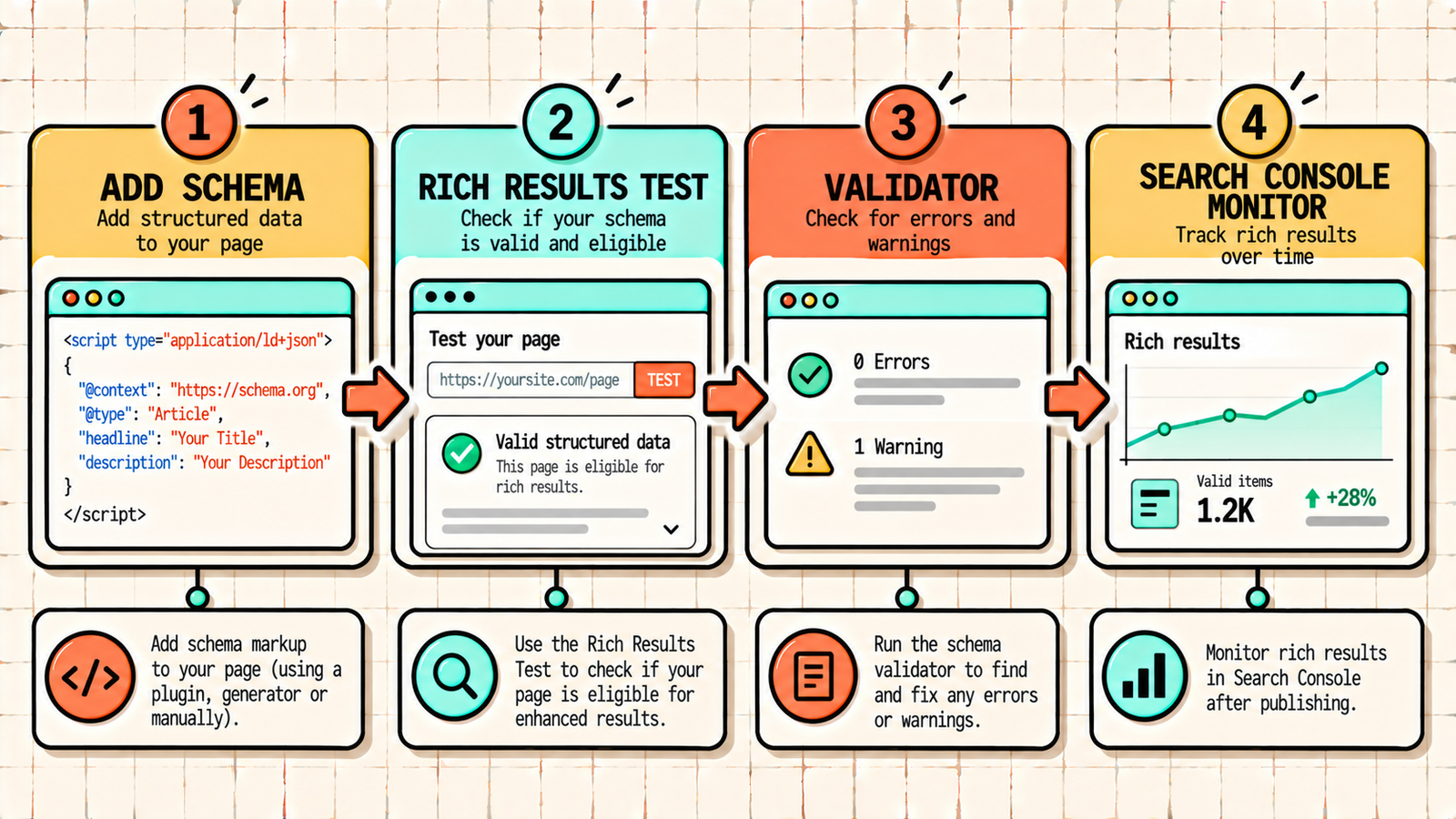
Never publish schema without testing it. Use two free tools.
Google Rich Results Test (search.google.com/test/rich-results): shows whether your page is eligible for rich results and flags errors that block eligibility.
Schema Markup Validator (validator.schema.org): checks that your markup is valid according to Schema.org, including types Google does not use for rich results.
After publishing, monitor the Enhancements section in Google Search Console, which reports valid items, warnings, and errors for each schema type across your whole site.
Schema markup best practices
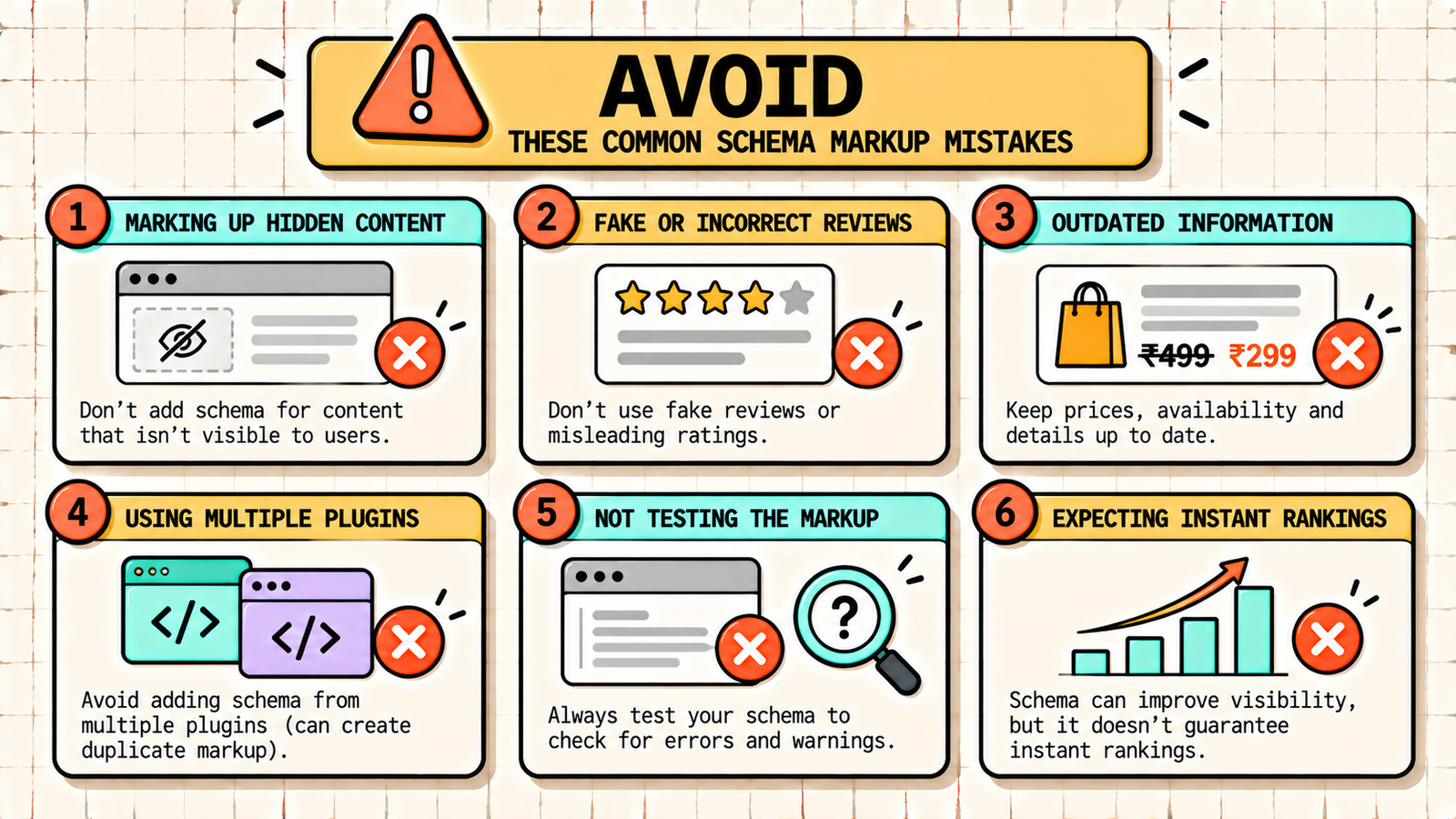
Only mark up visible content. Schema must describe what is actually on the page. Adding review stars or FAQs in schema that do not appear on the page violates Google's guidelines and can trigger a manual action.
Be accurate. Prices, availability, ratings, and dates must match the page. Outdated prices or fake ratings are both misleading and risky.
Use the most specific type. Use BlogPosting rather than generic CreativeWork, LocalBusiness subtypes like Dentist or Restaurant where relevant, and Product rather than Thing.
Fill in recommended properties, not just required ones. More complete markup gives search engines more to work with and improves rich result eligibility.
Connect your entities. Link your Article schema to your Organization and Person schema so Google understands who publishes and who writes your content. This supports E-E-A-T.
Avoid duplicate schema. Running two plugins that both output schema can create conflicting markup. Use one source of truth.
Schema for different types of businesses
Agencies and service businesses: Organization, LocalBusiness (if you have an office), Service, Person (for founders and authors), Article for blog posts, and BreadcrumbList.
Ecommerce and D2C brands: Product with Offer and AggregateRating, Organization, BreadcrumbList, and Review schema on product pages. Product schema is the single highest-impact schema for online stores.
Local businesses: LocalBusiness with the most specific subtype, address, geo coordinates, opening hours, phone, and sameAs links to your social profiles and Google Business Profile.
Publishers and blogs: BlogPosting or Article, Person for authors (with sameAs links to their profiles), Organization, and VideoObject where you embed videos.
Schema markup and AI search
As AI Overviews, ChatGPT search, and Perplexity become more important, structured data plays a growing role. AI systems need to determine what a page is about, who created it, and whether it is trustworthy. Clean Organization and Person schema clarify authorship and authority. Product schema gives precise facts AI can quote. FAQ schema maps neatly to the question-and-answer format AI responses use. Schema is not a guarantee of being cited, but it removes ambiguity, and less ambiguity makes your content easier to trust and reuse.
Common schema markup mistakes
A few errors cause most schema problems. Marking up content that is not visible on the page violates guidelines. Using fake or self-serving reviews in schema risks a manual penalty. Leaving outdated prices or availability in Product schema misleads users. Running multiple plugins that output conflicting schema confuses search engines. Publishing without testing lets syntax errors silently break the markup. And expecting schema alone to boost rankings leads to disappointment, since its value is in visibility and understanding, not direct ranking power.
Search Intent in SEO: How to Match What Google Wants to Rank
The bottom line
Schema markup labels your content so search engines and AI systems understand it precisely. Use JSON-LD, start with the essentials (Organization, Article, BreadcrumbList, and Product or LocalBusiness where relevant), add it through your SEO plugin or a generator, test it with the Rich Results Test, and monitor it in Search Console. Keep it accurate and only mark up what is visible. Schema will not rank a weak page on its own, but on a strong page it makes your listing richer, more clickable, and easier for AI to cite.
If you want experts to implement and audit schema across your site, LetMeRank handles structured data as part of every technical SEO engagement, starting with a free audit.











