You opened Google Search Console and saw a red warning: "Poor URLs" under Core Web Vitals. You clicked in, saw terms like LCP, INP, and CLS, and had no idea what any of them meant or what to do about them. Core Web Vitals are Google's way of measuring how real people experience your website: how fast it loads, how quickly it responds, and how stable it looks while loading. They are a confirmed ranking signal, and poor scores can hold your pages back in competitive search results.
This guide explains each metric in plain language, shows you how to find which pages are failing, and gives you the specific fixes for each one.
What are Core Web Vitals?
Core Web Vitals are three metrics Google uses to measure page experience. Each one measures a different part of what makes a page feel good or bad to use.
| Metric | What it measures | Good | Needs improvement | Poor |
|---|---|---|---|---|
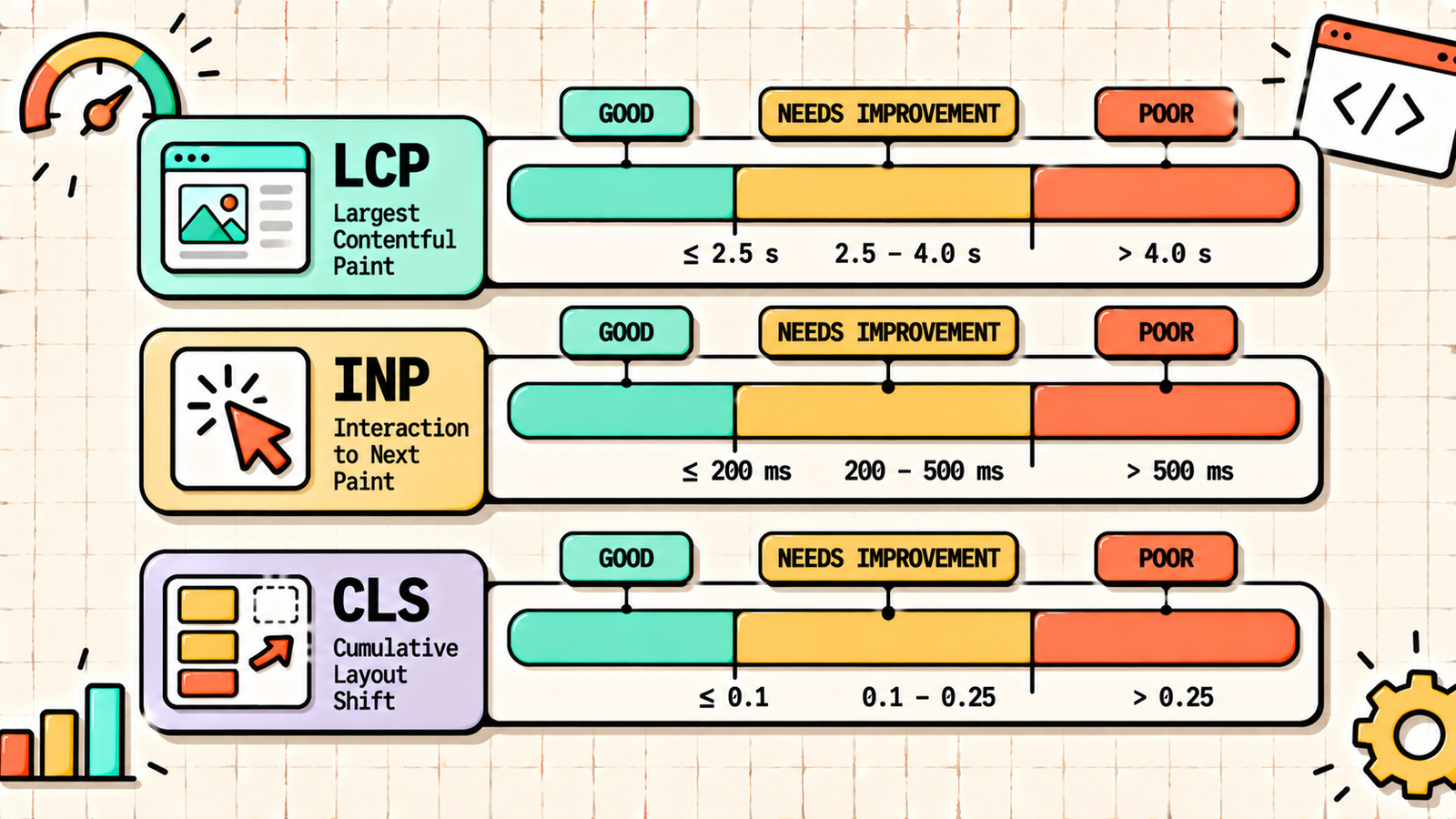
| LCP (Largest Contentful Paint) | Loading: how fast the main content appears | Under 2.5s | 2.5s to 4s | Over 4s |
| INP (Interaction to Next Paint) | Responsiveness: how fast the page reacts to clicks and taps | Under 200ms | 200ms to 500ms | Over 500ms |
| CLS (Cumulative Layout Shift) | Visual stability: how much the layout jumps around | Under 0.1 | 0.1 to 0.25 | Over 0.25 |
To pass, a page needs "good" scores on all three metrics for at least 75 percent of real visits. INP replaced the older FID (First Input Delay) metric in 2024, so if you see older guides mentioning FID, that metric no longer applies.
Why Core Web Vitals matter
Core Web Vitals are part of Google's page experience signals, which influence rankings. They are not the most powerful ranking factor (content relevance and backlinks matter more), but they act as a tiebreaker: when two pages are similarly relevant and authoritative, the one with better page experience has an edge.
Beyond rankings, they directly affect your business. A slow LCP means visitors leave before seeing your content. A poor INP means buttons feel broken and forms feel laggy. A high CLS means people tap the wrong thing because the page jumped. Each of these costs conversions, so fixing them helps both SEO and revenue.
Field data vs lab data
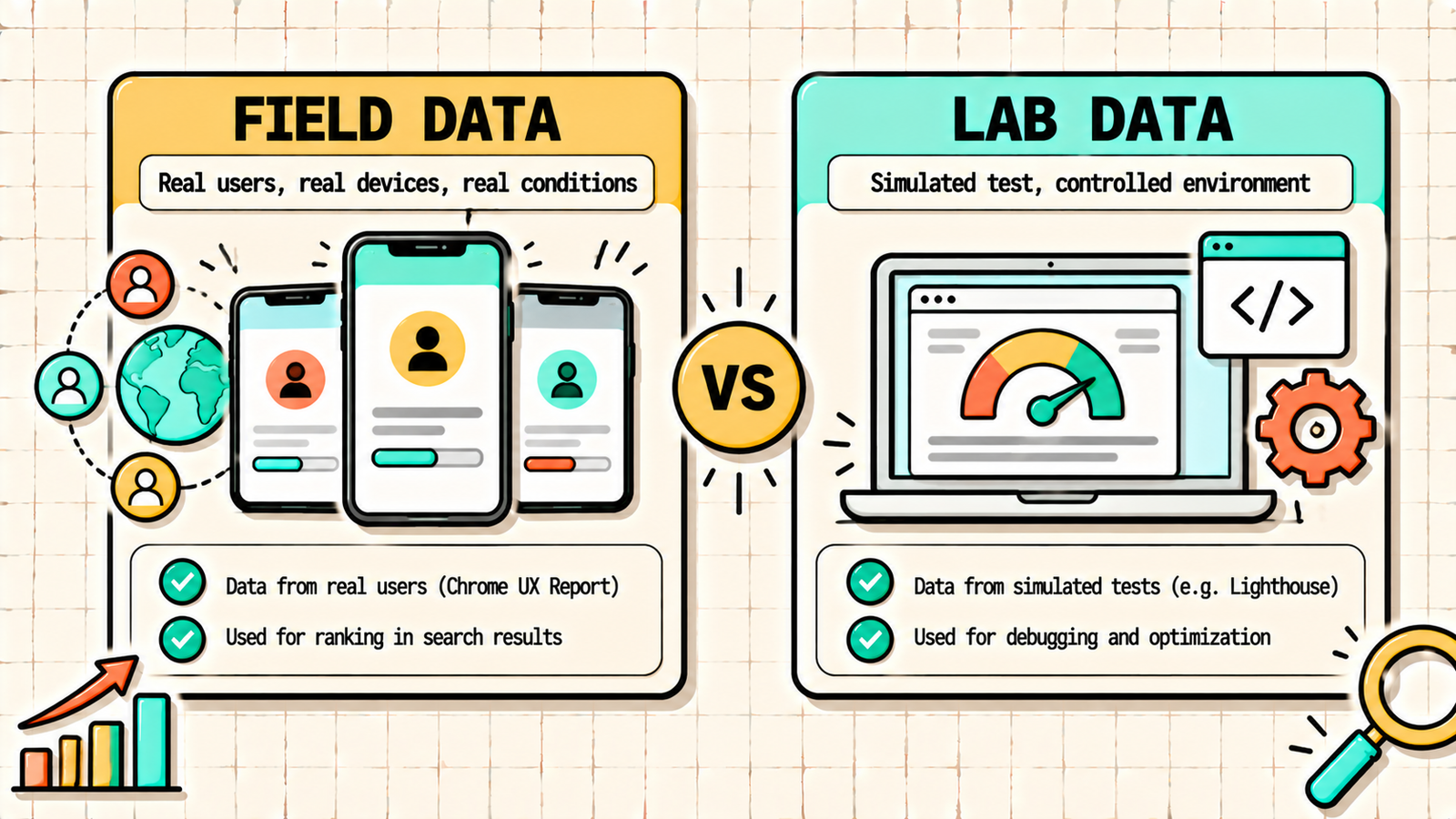
Before fixing anything, understand the two types of Core Web Vitals data, because they often disagree.
Field data comes from real Chrome users visiting your site, collected in the Chrome User Experience Report (CrUX). This is what Google uses for rankings. It appears in Search Console and at the top of PageSpeed Insights as "Discover what your real users are experiencing."
Lab data comes from a simulated test run on demand (Lighthouse). It is useful for debugging because you can test changes instantly, but it does not reflect real-world conditions perfectly.
If your lab score looks great but Search Console still shows poor URLs, trust the field data. It reflects actual visitors on actual devices and networks, often slower mobile phones. Also note that field data is a 28-day rolling average, so fixes take up to four weeks to show fully in Search Console.
How to find pages failing Core Web Vitals
Open Google Search Console, go to Experience, then Core Web Vitals. You will see separate reports for mobile and desktop, with URLs grouped as Poor, Needs improvement, and Good. Click into a failing group to see which metric is the problem and example URLs. Google groups similar pages together (for example, all blog posts using the same template), which means fixing the template often fixes hundreds of URLs at once.
Then run a specific example URL through PageSpeed Insights to see the diagnostics: which element is the LCP, what is causing layout shifts, and which scripts are blocking interaction.
How to fix LCP (Largest Contentful Paint)
LCP measures when the largest visible element above the fold finishes loading. This is usually a hero image, a banner, or a large heading. Poor LCP is the most common Core Web Vitals failure.
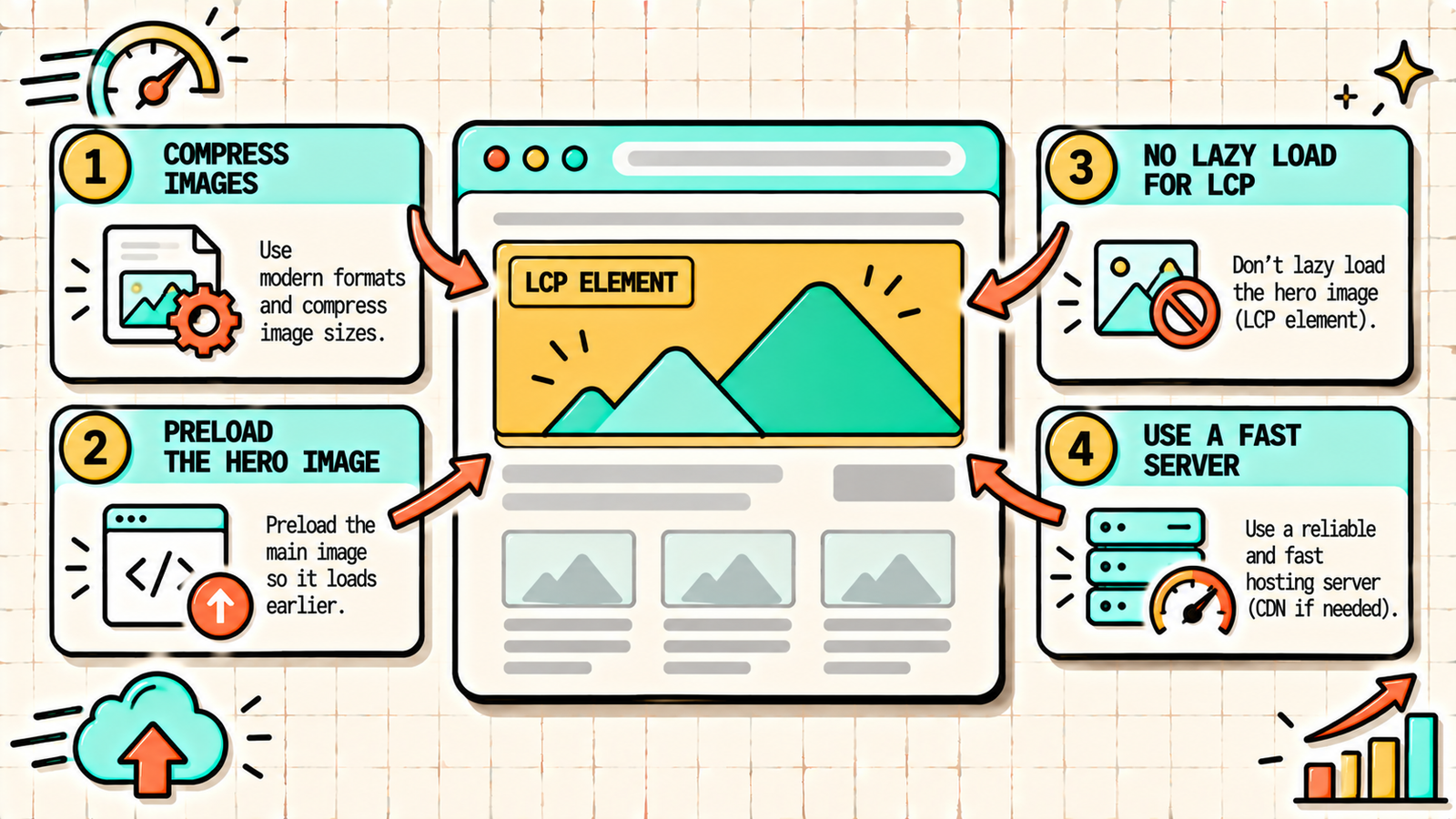
Identify the LCP element. PageSpeed Insights tells you exactly which element it is. Fix that element specifically.
Optimise the LCP image. Compress it, convert it to WebP or AVIF, and serve it at the correct display size. A 2 MB hero image is the single most common cause of poor LCP.
Do not lazy-load the LCP image. Lazy loading is great for images below the fold but disastrous for the hero image, because it delays the most important element. Make sure your above-the-fold image loads eagerly.
Preload the LCP resource. Add a preload hint for the hero image and add fetchpriority="high" so the browser downloads it first.
Improve server response time. A slow server delays everything. Upgrade hosting, enable page caching, and use a CDN so the first byte arrives quickly. Aim for a Time to First Byte under 800ms.
Remove render-blocking resources. CSS and JavaScript loaded in the head can block the page from rendering. Inline critical CSS and defer non-essential scripts.
How to fix INP (Interaction to Next Paint)
INP measures how quickly the page visually responds after a user clicks, taps, or types. It looks at interactions across the whole visit and reports one of the slowest. Poor INP means the page feels sluggish or frozen.
Reduce JavaScript. Heavy JavaScript is the main cause of poor INP. Remove unused scripts, plugins, and third-party widgets you do not need.
Break up long tasks. When JavaScript runs for more than 50ms in one go, it blocks the browser from responding. Developers can split long tasks into smaller chunks so the browser can respond to input in between.
Delay third-party scripts. Chat widgets, analytics, heatmaps, ad scripts, and social embeds often hog the main thread. Load them after the page is interactive, or only on user interaction. Tools like Perfmatters or WP Rocket's delay JavaScript feature handle this on WordPress.
Simplify the page. Very large pages with thousands of DOM elements take longer to update after each interaction. Heavy page builders often create bloated DOM structures, so trimming unnecessary sections and nested containers helps.
Avoid heavy work in event handlers. If clicking a button triggers expensive calculations or large re-renders, the response feels slow. Show visual feedback immediately and do the heavy work afterward.
How to fix CLS (Cumulative Layout Shift)
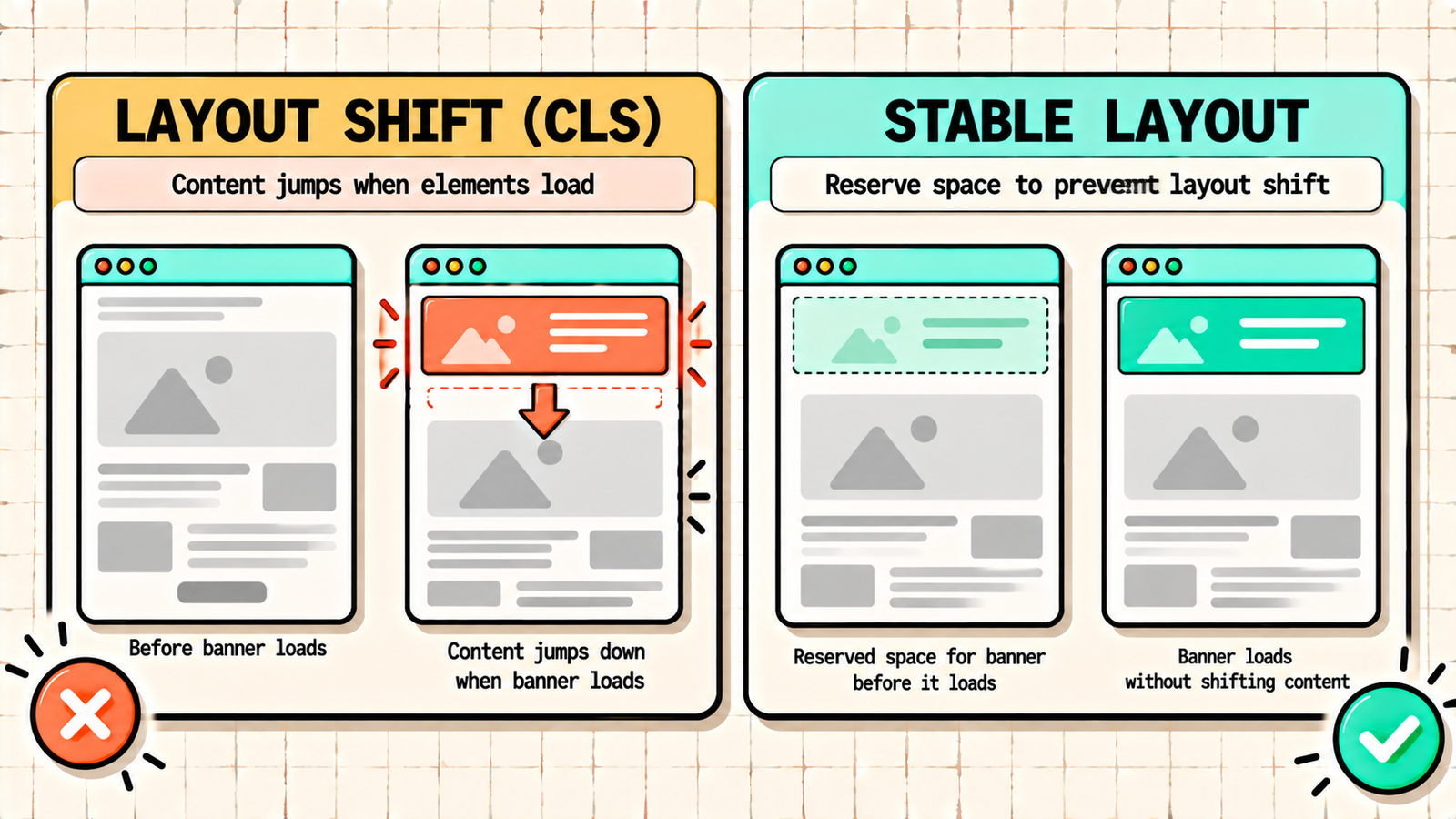
CLS measures how much visible content moves unexpectedly while the page loads. You have experienced it: you go to tap a link and the page jumps because an image or ad loaded above it.
Set width and height on images and videos. When dimensions are specified, the browser reserves the space before the file loads, so nothing shifts. This is the most common and easiest fix.
Reserve space for ads and embeds. Ad slots, iframes, and embedded content should have a fixed container size so they do not push content down when they load.
Avoid inserting content above existing content. Cookie banners, promo bars, and notification bars that appear at the top and push everything down cause shifts. Use overlays or reserve the space in advance.
Fix font loading shifts. When a custom web font loads and replaces a fallback font, text can reflow. Preload key fonts, use font-display: swap with a closely matched fallback, or use system fonts.
Be careful with animations. Animate using transform and opacity rather than properties like top, height, or margin, which trigger layout changes.
Core Web Vitals fixes at a glance
| Metric | Most common cause | Top fix |
|---|---|---|
| LCP | Large, unoptimised or lazy-loaded hero image | Compress, preload, and eager-load the LCP image |
| LCP | Slow server response | Better hosting, caching, CDN |
| INP | Heavy JavaScript and third-party scripts | Remove unused scripts, delay third parties |
| INP | Large DOM from page builders | Simplify page structure |
| CLS | Images without dimensions | Set width and height attributes |
| CLS | Late-loading ads, banners, fonts | Reserve space, preload fonts |
We'll find exactly what's failing your Core Web Vitals and how to fix it.
Get a clear, data-backed plan to improve page experience, remove ranking handicaps, and make every visit faster and smoother.
Core Web Vitals on WordPress
WordPress sites can pass Core Web Vitals comfortably with the right setup. Use a lightweight theme instead of a heavy multipurpose one. Use a performance plugin (LiteSpeed Cache, WP Rocket, or Perfmatters) to handle caching, critical CSS, script deferral, and delayed JavaScript. Use an image plugin that converts to WebP, adds dimensions, and excludes the hero image from lazy loading. Limit page builder bloat by avoiding unnecessary nested sections and widgets in Elementor or similar builders. And audit plugins regularly, since every plugin can add scripts that hurt INP. Most WordPress sites that fail Core Web Vitals do so because of a heavy theme, too many plugins, or an unoptimised hero image, and all three are fixable.
Core Web Vitals on Shopify
On Shopify, the theme and apps matter most. Choose a fast, well-coded theme (Shopify's Dawn-based themes perform well). Remove apps you do not actively use, since many inject scripts on every page even after uninstalling, so check your theme code for leftover snippets. Compress product and banner images before uploading. And limit heavy sections like large sliders, video backgrounds, and pop-ups on the homepage and collection pages.
How long until Core Web Vitals improve?
After you deploy fixes, lab scores in PageSpeed Insights improve immediately. Field data in Search Console takes up to 28 days to reflect the changes, because it is a rolling average of real visits. Once you have fixed an issue, use the "Validate Fix" button in Search Console's Core Web Vitals report to prompt Google to track the improvement. Be patient: re-checking daily will only frustrate you.
Common Core Web Vitals mistakes
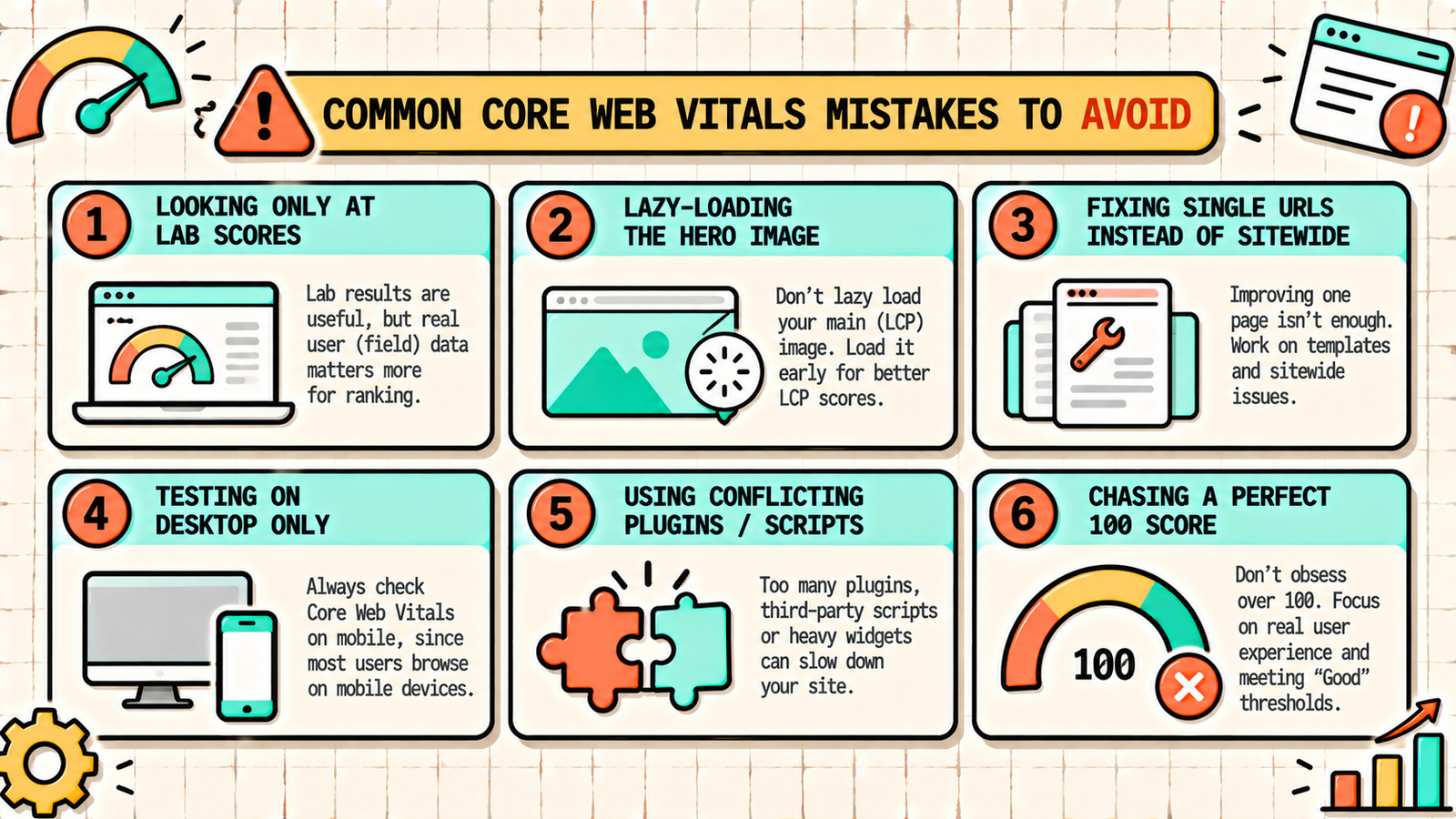
A few patterns waste the most effort. Optimising for the lab score while ignoring field data leaves real users with a poor experience. Lazy-loading every image, including the hero, makes LCP worse. Fixing individual URLs instead of the shared template means the problem keeps reappearing on new pages. Testing only on desktop when most failures happen on mobile gives a false sense of success. Installing multiple performance plugins that conflict with each other can break the site or cancel out gains. And chasing a perfect 100 score when your pages already pass all three metrics wastes time that would be better spent on content.
Search Intent in SEO: How to Match What Google Wants to Rank
The bottom line
Core Web Vitals measure loading (LCP), responsiveness (INP), and visual stability (CLS). Find failing pages in Search Console, diagnose the specific metric in PageSpeed Insights, and apply targeted fixes: optimise and preload the hero image for LCP, reduce and delay JavaScript for INP, and set dimensions and reserve space for CLS. Fix templates rather than single URLs, trust field data over lab data, and give Google 28 days to reflect the improvement. Passing Core Web Vitals will not rank a weak page on its own, but it removes a real handicap and makes every visit better.
If you want experts to diagnose and fix your Core Web Vitals alongside your technical SEO, LetMeRank handles page experience optimisation as part of every technical SEO engagement, starting with a free audit.