You picked Shopify because it made launching a store easy, and then you discovered that easy to launch does not mean easy to find. Plenty of Shopify stores look great and still sit invisible on page five of Google, quietly waiting for traffic that never arrives. The good news is that Shopify is genuinely capable of ranking well, and most of what holds a store back comes down to a handful of fixable things. This is the complete Shopify SEO checklist for 2026, covering the technical setup, your key pages, speed, schema, and the newer work of getting your store surfaced in AI search. Work through it in order and you will close the gap between a store that exists and a store that gets found.
Is Shopify good for SEO?
Yes, Shopify is good for SEO. It handles a lot of the basics for you out of the box, including clean URLs, automatic sitemaps, mobile-responsive themes, SSL security, and fast global hosting. Those are real advantages that many other platforms make you configure by hand.
That said, Shopify has a few quirks you need to manage. It forces certain URL structures (like /products/ and /collections/), it can create duplicate content through collection and tag pages, and its blogging tools are more basic than something like WordPress. None of these are dealbreakers. They just mean you have to work with the platform's habits rather than against them, which is exactly what this checklist helps you do.
SEO vs Paid Ads for Startups
How Shopify SEO is different
Before the checklist, it helps to know what you are working with.
| Shopify does this for you | You still have to handle this |
|---|---|
| Auto-generated XML sitemap | Duplicate content from collections and tags |
| Clean, mobile-friendly themes | Keyword research and page targeting |
| Fast, secure hosting with SSL | Product and collection page optimization |
| Automatic SSL and CDN | Schema markup beyond the basics |
| Simple URL structure | Site speed once apps and images pile up |
The pattern is simple. Shopify gives you a solid technical floor, and your rankings come from the strategy and optimization you layer on top.
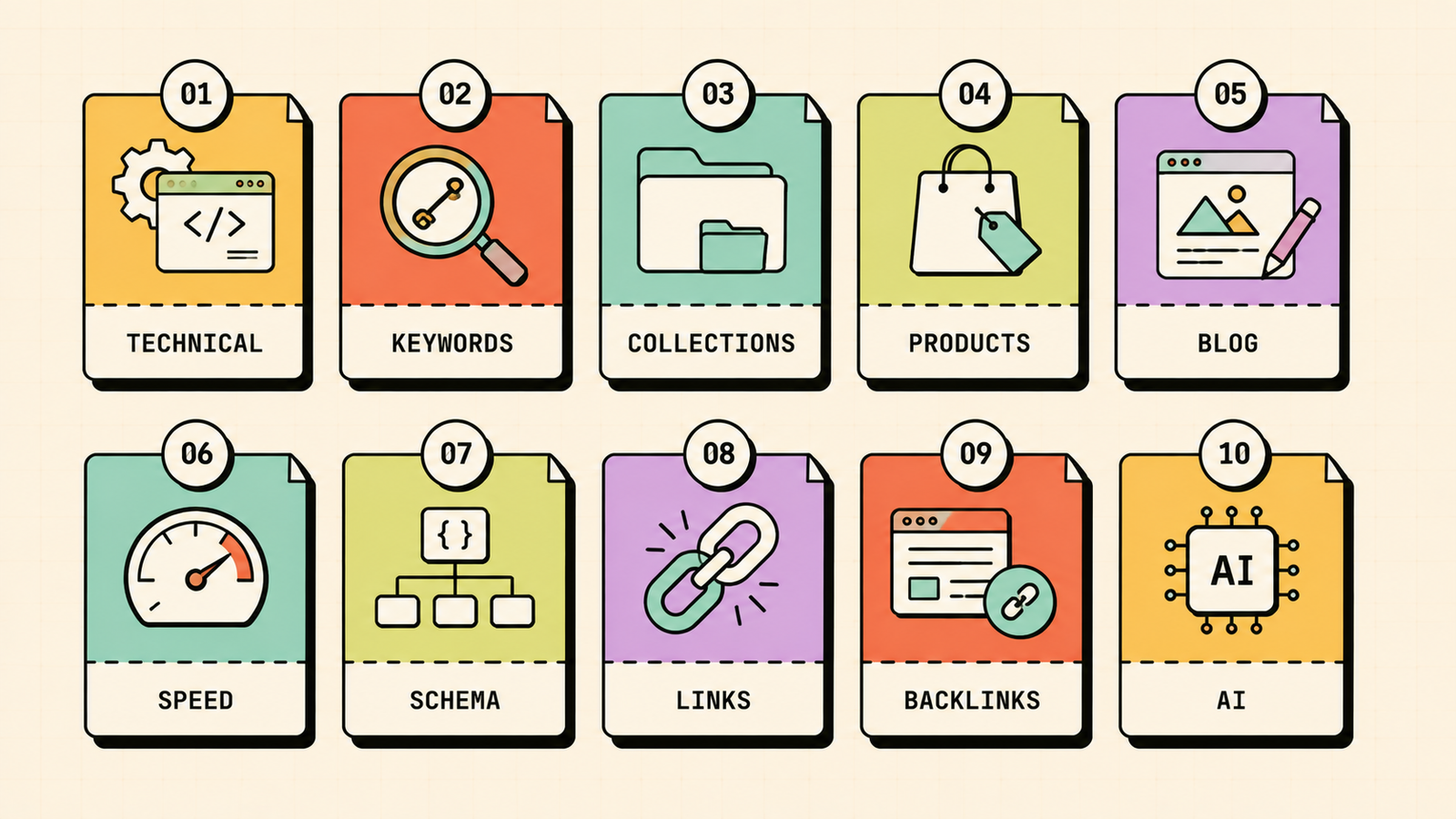
The complete Shopify SEO checklist
Here is the full checklist, grouped so you can tackle it in a sensible order.
1. Fix the technical foundations first
Before optimizing individual pages, make sure Google can crawl and index your store cleanly. Submit your sitemap (found at yourstore.com/sitemap.xml) in Google Search Console. Check that important pages are indexed with a site:yourstore.com search. Then deal with Shopify's most common technical issue, duplicate content, which happens when the same product appears under multiple collection URLs. Make sure your theme uses canonical tags correctly so Google knows which version to rank, and avoid indexing thin tag pages.
2. Do proper keyword research
Every page should target a real search term your buyers actually use. Map keywords to page types: broad category terms go on collection pages, specific product terms go on product pages, and question-style terms go on blog posts. Focus on buyer-intent keywords for commercial pages and informational keywords for your blog. Ranking for terms people search and buy on beats ranking for clever phrases nobody looks up.
3. Optimize your collection pages
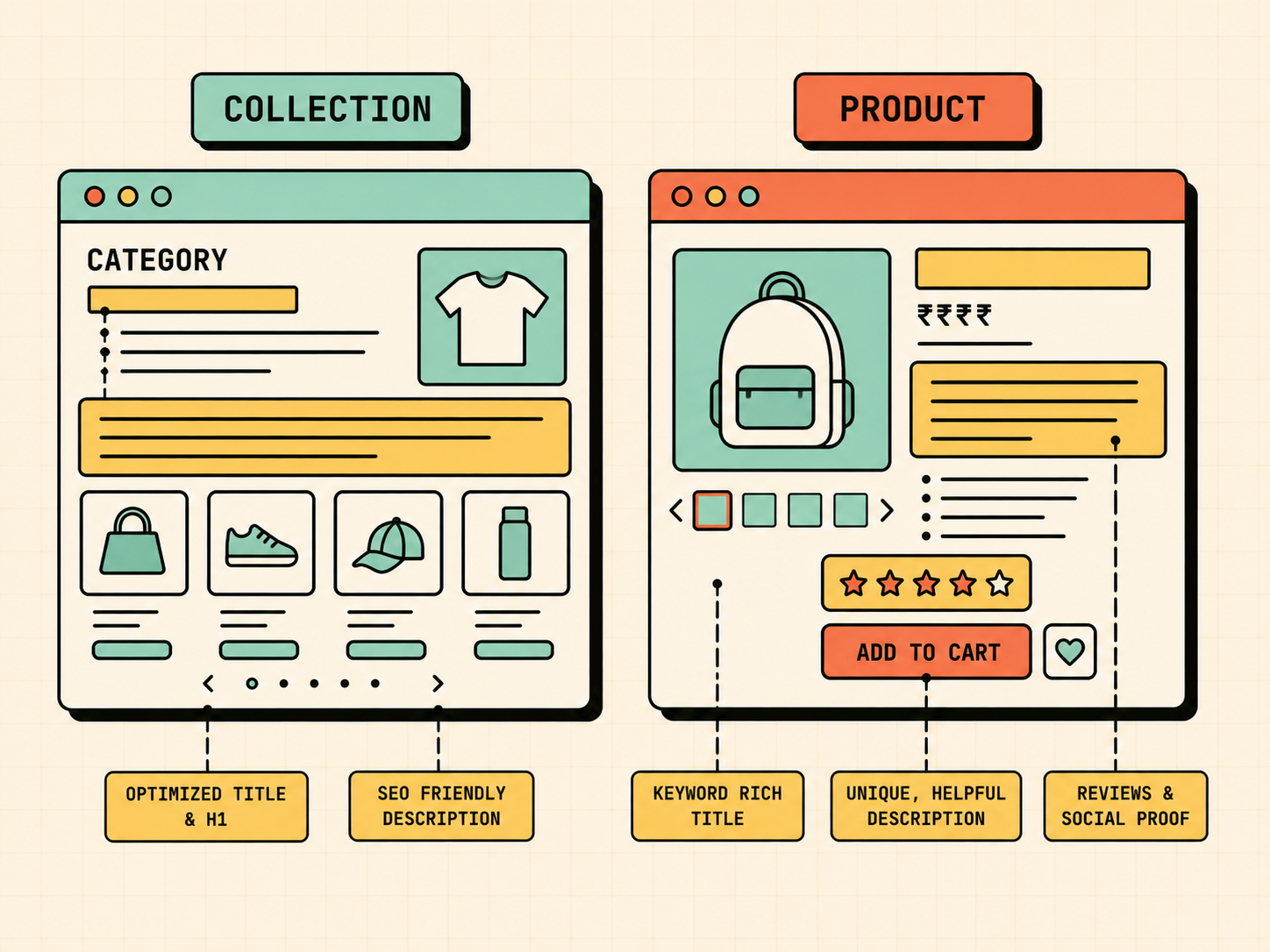
Collection pages are the most underused SEO asset on Shopify, and they often have the highest ranking potential because they target broad category keywords. Give each collection a keyword-rich title and meta description, and add a short block of unique intro text describing the category. Do not leave collection pages as bare grids of products. A few sentences of genuine, helpful copy gives Google something to rank and helps shoppers too.
4. Optimize your product pages
Product pages are where the sale happens, so make them work for search as well. Write unique product titles and descriptions rather than pasting the manufacturer's copy, which creates duplicate content across the web. Include your target keyword in the title, description, and image alt text. Add genuinely useful detail, answer common buyer questions on the page, and use customer reviews, which add fresh, keyword-rich content and build trust at the same time.
How to Reduce CAC for D2C Brands
5. Use your blog for informational keywords
Shopify's blog is basic, but it is still your best tool for capturing top-of-funnel searches your product pages can never rank for. Write helpful content around the questions and problems your customers have before they buy. A skincare brand can rank for routine and ingredient questions, a coffee brand for brewing guides. This content brings in visitors early, builds topical authority, and gives you internal links to push toward your product and collection pages.
6. Speed up your store
Site speed matters for both rankings and sales, and Shopify stores tend to slow down as apps and heavy images pile up. Compress and correctly size your images, remove apps you no longer use since each one can add scripts, choose a lightweight theme, and limit sliders and pop-ups. In 2026, Core Web Vitals remain a ranking factor, so aim to load your main content in under 2.5 seconds. A faster store ranks better and converts more, so this is double value.
7. Add schema markup
Schema markup is code that helps search engines understand your content and can earn you rich results like star ratings and prices directly in search. Shopify themes include some product schema by default, but it is often incomplete. Make sure your product pages output Product schema with price, availability, and review ratings, and add FAQ schema to pages with common questions. Richer search listings stand out and get more clicks.
8. Build internal links
Internal linking spreads ranking power around your store and helps Google understand which pages matter. Link from blog posts to relevant collection and product pages, link related products to each other, and make sure every important page is reachable within a few clicks from the homepage. A well-linked store is easier for both shoppers and search engines to navigate.
9. Earn backlinks
Backlinks from other reputable websites are still one of the strongest ranking signals, and they are what let a smaller store compete with bigger ones. Earn them by creating content worth linking to, getting your products featured in gift guides and roundups, partnering with creators, and using digital PR. Quality matters far more than quantity, and a few strong, relevant links beat dozens of weak ones.
10. Optimize for AI search (GEO)
This is the newest and most overlooked item on the list. Shoppers increasingly ask ChatGPT, Perplexity, and Google's AI answers for product recommendations, and stores that structure their content well get named in those answers. To show up, write clear, self-contained answers to buyer questions, use FAQ content and schema, reference real details and specifics, and build a strong presence across the web through reviews and mentions. Getting your store cited in AI answers is quickly becoming as important as ranking in the classic blue links, and most competitors are not doing it yet.
We'll show you exactly what's holding your store back.
Get a clear, data-backed plan with the fixes that will move the needle first, including AI search optimization.
Common Shopify SEO problems and how to fix them
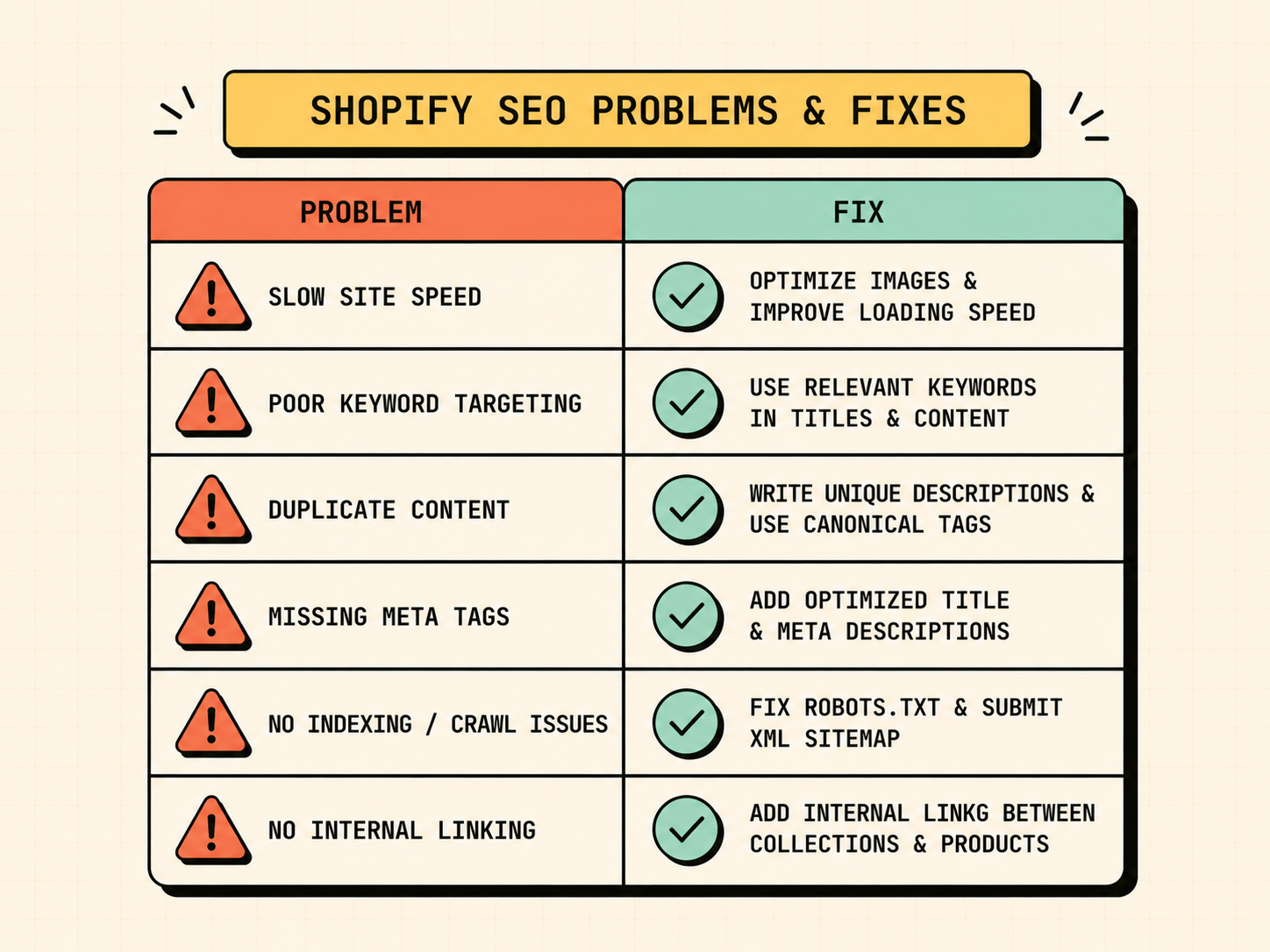
A few issues come up on almost every store. Here is how to spot and fix them fast.
| Problem | Why it happens | The fix |
|---|---|---|
| Duplicate content | Products appear under multiple collection URLs | Ensure correct canonical tags, avoid indexing thin tag pages |
| Thin collection pages | Bare product grids with no text | Add unique intro copy to each collection |
| Duplicate product descriptions | Manufacturer copy reused across sites | Write original descriptions for every product |
| Slow load times | Too many apps, heavy images | Remove unused apps, compress images, lighter theme |
| Pages not indexed | New store or blocked pages | Submit sitemap, request indexing in Search Console |
| Missing schema | Theme outputs incomplete markup | Add complete Product and FAQ schema |
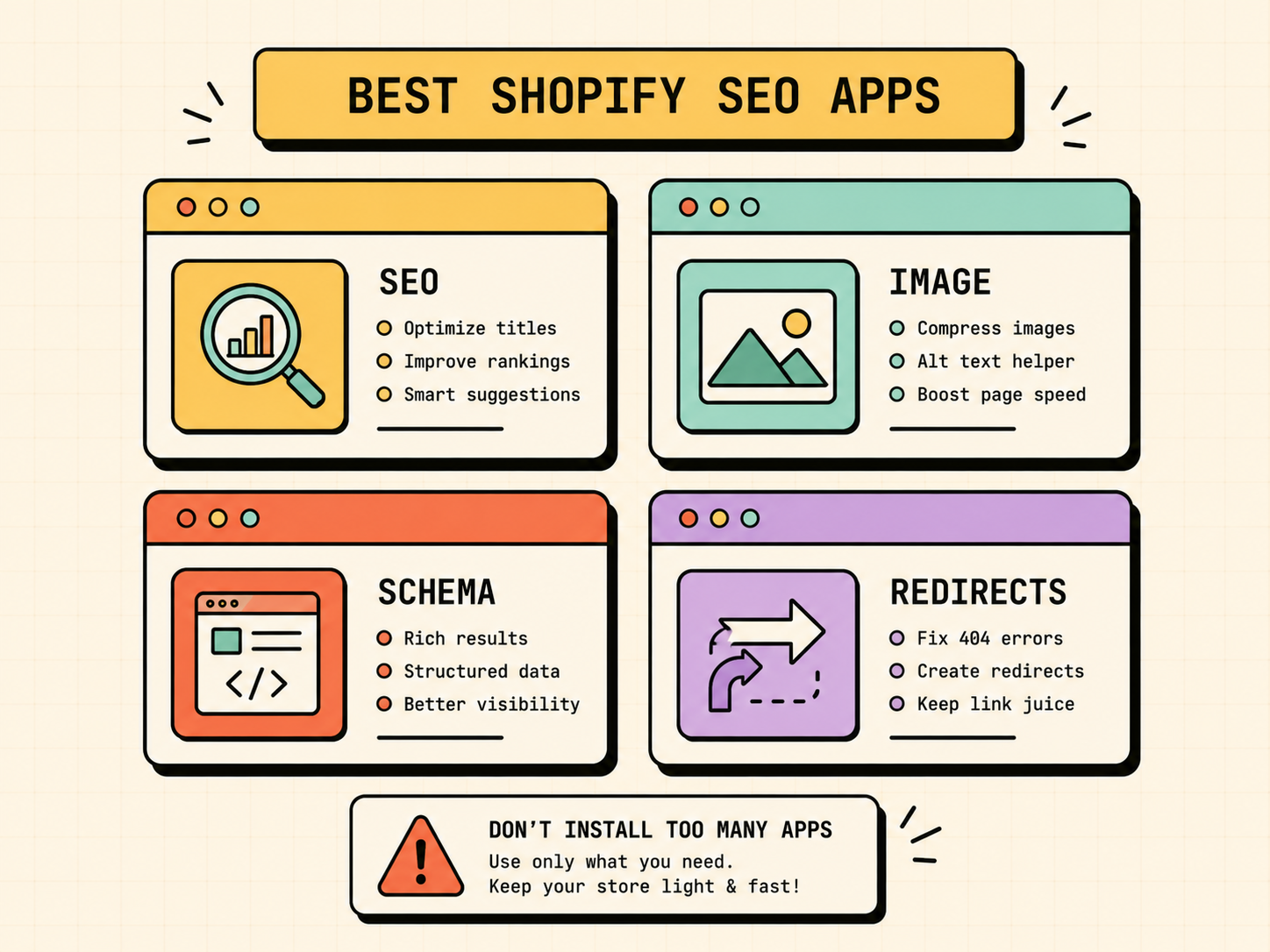
Best Shopify SEO apps
You do not need many apps, but a few can genuinely help. Choose based on what your store is missing rather than installing everything, since each app adds weight.
| App type | What it does | When you need it |
|---|---|---|
| All-in-one SEO app | Bulk meta editing, audits, broken link checks | General SEO management |
| Image optimizer | Compresses images to improve speed | Image-heavy stores |
| Schema/rich snippets app | Adds structured data for rich results | Stores missing complete schema |
| Redirect manager | Handles 404s and redirects cleanly | After a redesign or migration |
A quick warning: more apps can mean a slower store, which hurts SEO. Install only what you will actually use, and remove anything you do not.
LetMeRank
Quick Shopify SEO tips and best practices
For a fast reference, keep these habits: write a unique title tag and meta description for every important page, use short and readable URLs, add descriptive alt text to every image, keep your navigation simple and logical, refresh older content instead of only publishing new pages, fix broken links and set up redirects after any change, and check Google Search Console regularly for issues and opportunities. Small, consistent habits compound into real rankings over time.
How long does Shopify SEO take?
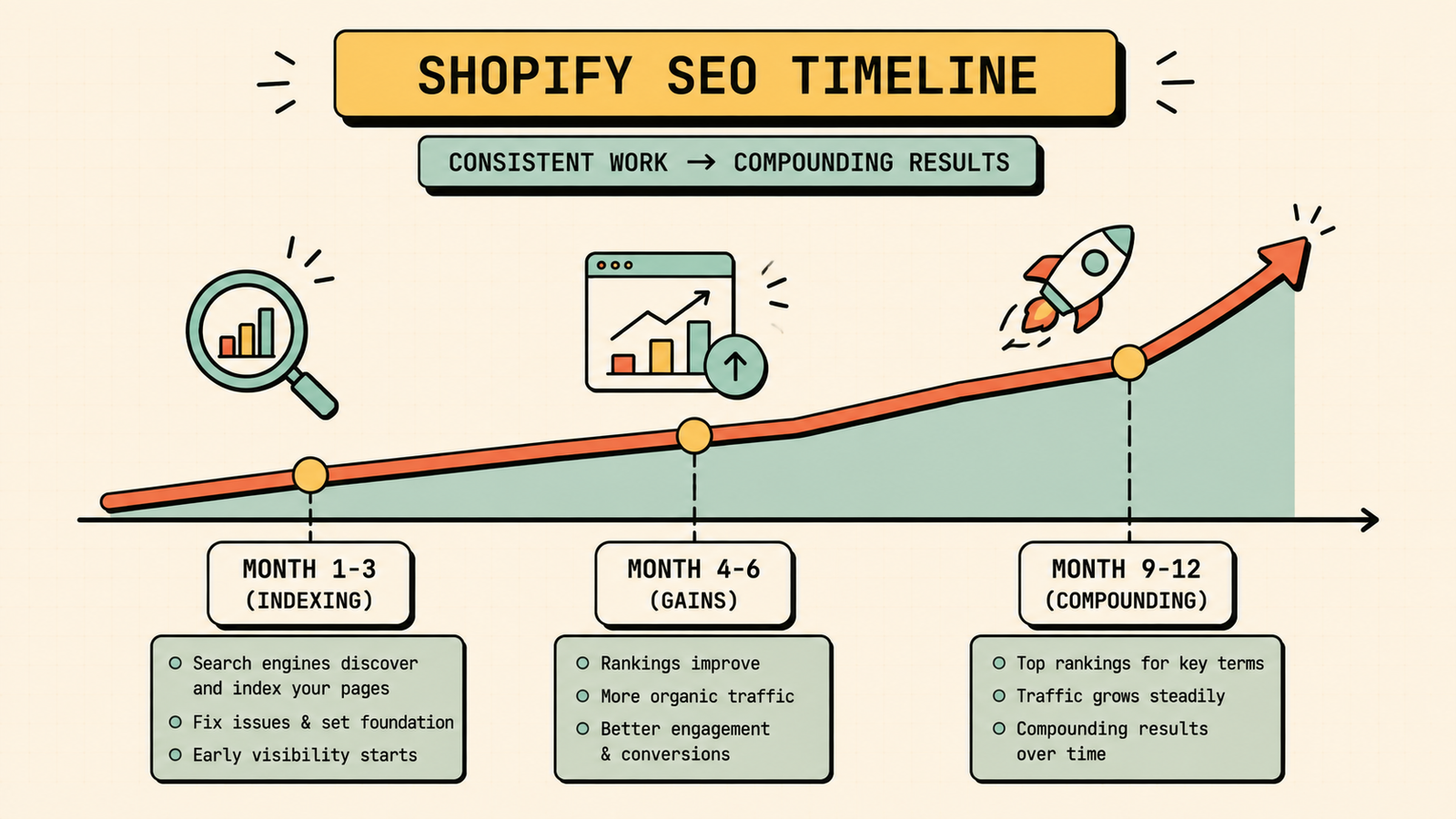
Shopify SEO follows the same timeline as SEO anywhere. Expect little visible movement in the first three months while Google crawls and trusts your store, meaningful ranking gains around four to six months, and compounding traffic by nine to twelve months if you stay consistent with content and links. Newer stores take longer than established ones, so the earlier you start and the more consistent you are, the sooner it pays off.
The bottom line for founders
Shopify gives you a strong technical starting point, but rankings come from the work you layer on top: clean technical setup, optimized collection and product pages, helpful content, fast load times, proper schema, real backlinks, and now optimization for AI search. Work through the checklist, stay consistent, and your store moves from invisible to found.
If you would rather have experts handle it, LetMeRank offers Shopify SEO services built for D2C brands, starting with a free audit that shows exactly what is holding your store back and the fixes that will move the needle first.











