You set a daily budget, Google spent it in four hours, you got a bunch of clicks, and not a single one turned into a customer. Welcome to Google Ads without a strategy.
Google Ads is one of the fastest ways to get in front of people actively searching for what you sell, but it is also one of the fastest ways to burn money if you do not understand the basics. This guide covers how Google Ads works, how to set up and run your first campaign, the settings that matter, and the mistakes that waste the most budget for beginners.
What is Google Ads?
Google Ads is Google's advertising platform. You pay to show your business at the top of search results, on YouTube, across websites, and in apps. The most common format is search ads, where your ad appears when someone searches a keyword you chose, and you pay each time someone clicks.
The core idea is simple: you bid to appear for searches relevant to your business, and Google shows your ad to people who are actively looking for what you offer. That intent is what makes Google Ads powerful compared to interruptive ads on social media, because the person is already searching.
How Google Ads works
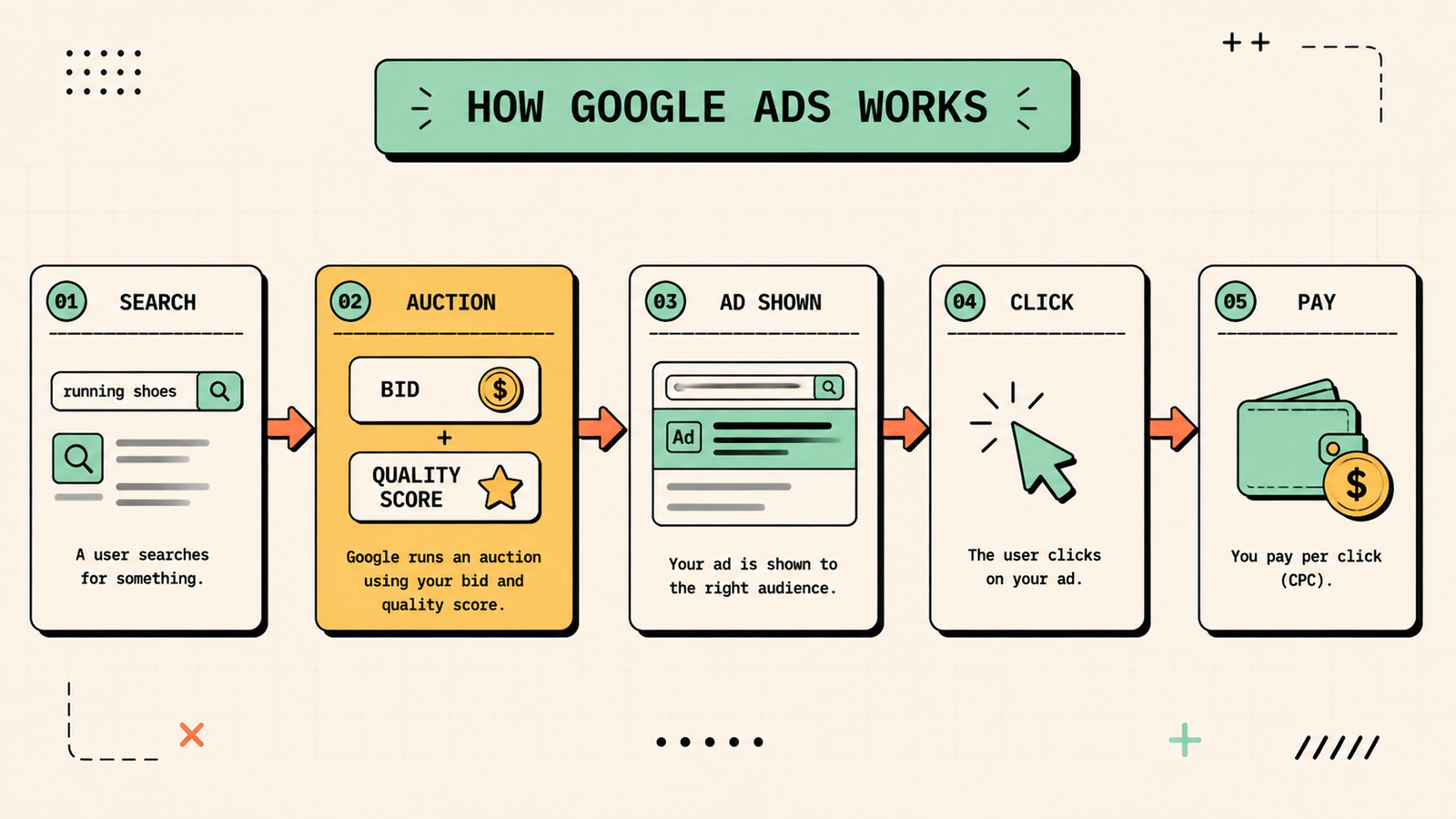
When someone searches on Google, an auction happens in milliseconds. Google looks at which advertisers want to show an ad for that search, then ranks them based on two things: your bid (how much you are willing to pay per click) and your Quality Score (how relevant and useful Google thinks your ad and landing page are). A higher Quality Score lets you win auctions at a lower cost, which is why relevance matters as much as budget.
You only pay when someone clicks your ad, which is why it is called pay-per-click (PPC). You set a daily budget, and Google will not spend more than that over the course of a month (though daily spend can fluctuate).
Types of Google Ads campaigns
Google Ads offers several campaign types, each for a different goal.
| Campaign type | What it does | Best for |
|---|---|---|
| Search | Text ads at the top of search results | Capturing people actively searching (highest intent) |
| Shopping | Product listings with images and prices | Ecommerce and product-based businesses |
| Display | Banner ads across websites and apps | Brand awareness and remarketing |
| Video | Ads on YouTube | Awareness, reach, and engagement |
| Performance Max | AI-driven ads across all Google channels | Automation when you want Google to optimise |
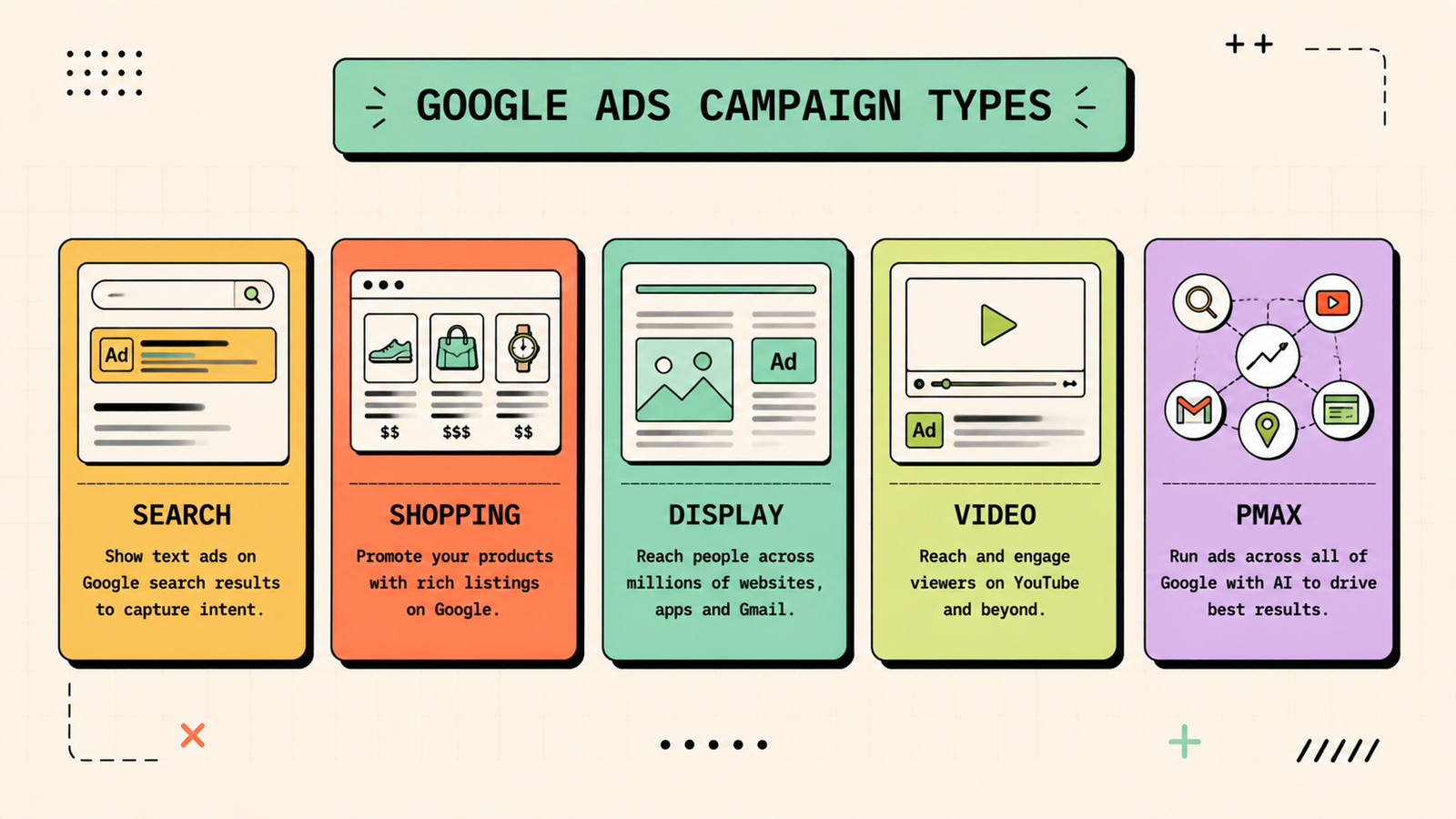
For beginners, start with Search campaigns. They target the highest-intent traffic (people actively searching for what you sell) and give you the most control and clearest data.
How to set up your first Google Ads campaign
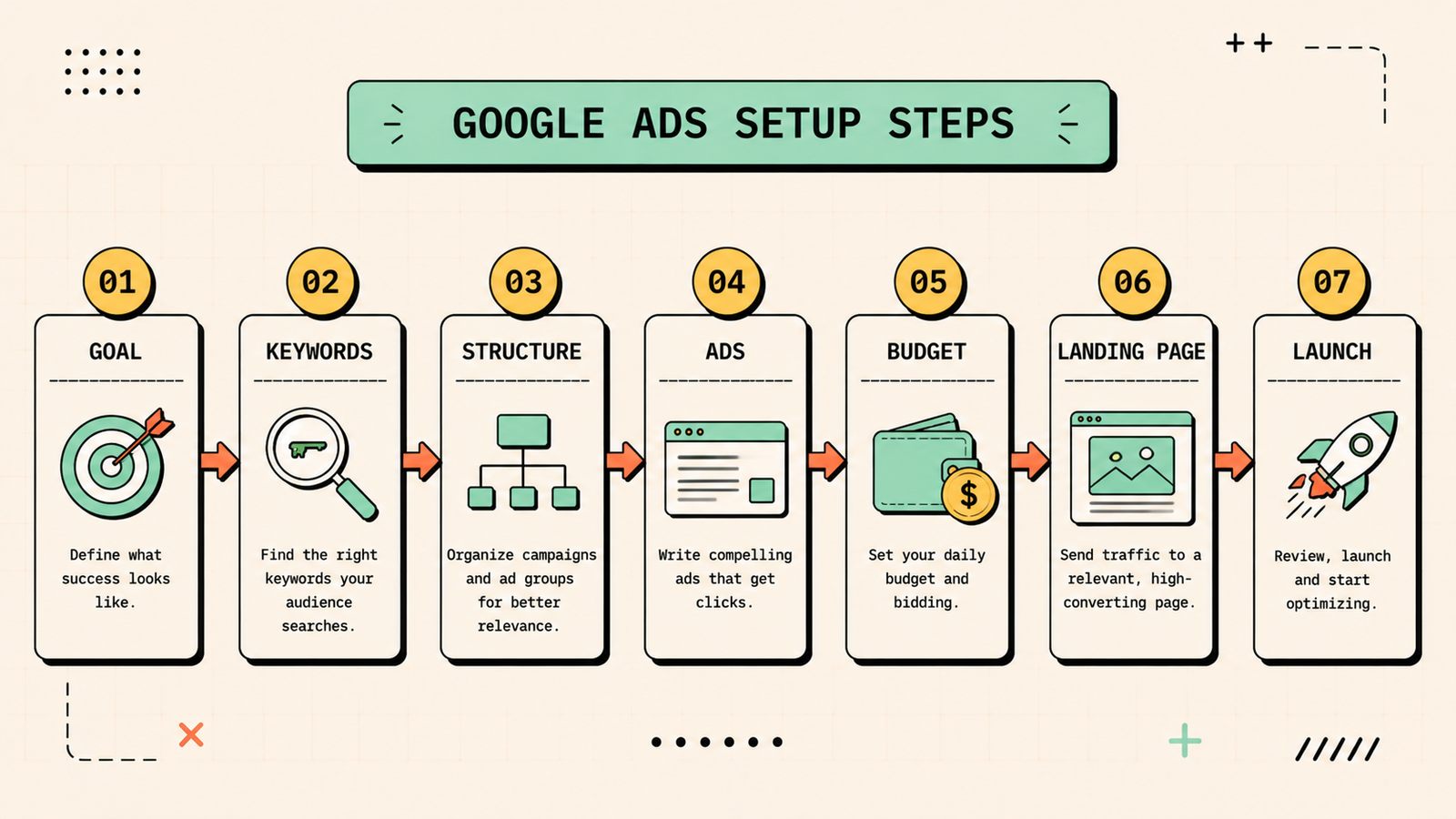
1. Define your goal
Before touching the platform, decide what you want: website traffic, leads, phone calls, or sales. Your goal shapes everything from keyword choice to landing page to how you measure success.
2. Do keyword research
Find the search terms your customers use when they are ready to buy. Use Google's Keyword Planner (free inside Google Ads) to see search volume, competition, and estimated cost per click. Focus on specific, high-intent keywords like "buy running shoes online" rather than broad ones like "shoes," which are expensive and attract browsers rather than buyers.
3. Set up your campaign structure
Organise your campaign into tightly themed ad groups, each targeting a small set of closely related keywords. A campaign for "running shoes" might have separate ad groups for "men's running shoes," "women's running shoes," and "trail running shoes." Tight grouping means your ads match the search closely, which lifts your Quality Score and lowers your cost.
4. Write your ads
Each ad needs a headline that includes your keyword and a clear value proposition, a description that tells the searcher exactly what they get when they click, and a call to action (shop now, get a free quote, book a call). Write at least three ad variations per ad group so Google can test which performs best. Relevance to the search is the single biggest factor in whether your ad gets clicked.
5. Set your budget and bids
Start with a daily budget you are comfortable losing while you learn. For beginners, that is often somewhere between 500 and 2,000 rupees per day, depending on your market and keywords. Use "Maximise clicks" bidding to start, which lets Google get you the most clicks within your budget. Once you have conversion data, switch to a conversion-based bidding strategy.
6. Choose your landing page
Your ad sends people to a landing page, and that page determines whether clicks turn into customers. The landing page should match the ad's promise exactly, load fast, be mobile-friendly, and have a clear call to action. Sending ad traffic to your homepage is a common and expensive mistake, because the homepage is generic and the visitor cannot find what the ad promised.
7. Launch, monitor, and adjust
Launch, then check your data daily for the first week. Watch which keywords are spending without converting, which ads have the highest click-through rate, and whether your landing page is converting clicks into leads or sales. Pause keywords that waste money, double down on what works, and keep testing new ad variations.
We'll find exactly why your ad spend isn't turning into customers.
Get a clear, data-backed plan to optimise your campaigns for conversions and lower your cost per customer.
Google Ads metrics you need to understand
| Metric | What it tells you |
|---|---|
| Impressions | How many times your ad was shown |
| Clicks | How many times someone clicked your ad |
| CTR (click-through rate) | Percentage of impressions that became clicks |
| CPC (cost per click) | What you pay per click on average |
| Conversions | How many clicks became a lead, sale, or desired action |
| Cost per conversion | How much you pay for each conversion |
| Quality Score | Google's rating of your ad relevance (1 to 10) |
| ROAS | Return on ad spend, revenue divided by cost |
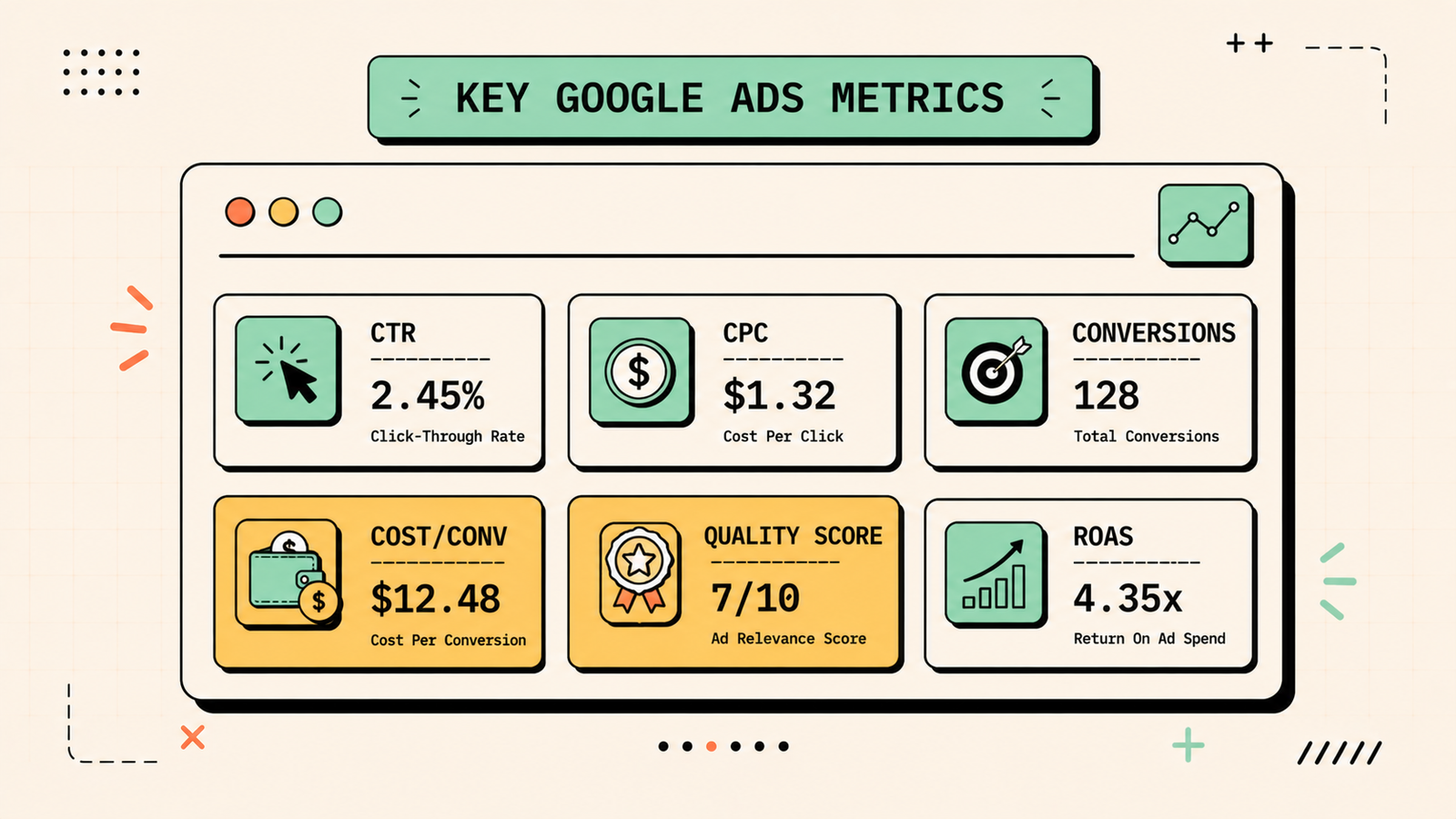
The two that matter most for beginners are cost per conversion (are you getting customers at a sustainable price) and Quality Score (is Google rewarding your relevance).
YouTube SEO: How to Rank Your Videos and Get More Views
How much does Google Ads cost?
There is no fixed answer because costs depend on your industry, keywords, and competition. In India, CPCs range from a few rupees for low-competition keywords to several hundred for competitive ones like insurance, loans, and legal services. What matters is not the CPC itself but the cost per conversion: if each click costs 50 rupees and it takes 20 clicks to get a sale, your cost per sale is 1,000 rupees. Whether that is good depends on what the sale is worth. Start small, measure your cost per conversion, and scale up only when the numbers work.
Google Ads vs SEO: when to use each
Google Ads and SEO both put you in front of people searching, but they work differently. Ads give you instant visibility at the top of results but cost money per click. SEO takes months to build but earns free clicks that keep coming. Ads stop working the moment you stop paying. SEO compounds over time. For most businesses, the smart play is to run ads for speed and immediate revenue while building SEO for long-term, low-cost traffic. The two are not competitors. They are partners in a search strategy.
Common Google Ads mistakes beginners make
These waste the most money. Using broad, generic keywords attracts irrelevant clicks that never convert. Not using negative keywords means your ad shows for searches that have nothing to do with your business. Sending all traffic to the homepage instead of a relevant landing page kills conversions. Setting a budget without tracking conversions means you have no idea whether the spend is working. Writing generic ads that do not match the search query gets low Quality Scores and high CPCs. Not checking the search terms report means you never see the actual queries triggering your ads. And giving up after a few days, before you have enough data to optimise, abandons the campaign before it had a chance to work. Start small, track everything, and treat the first two weeks as learning, not winning.
How to reduce your Google Ads cost
A few habits lower your cost per conversion over time. Improve your Quality Score by making your ads and landing pages more relevant to the keywords, which lowers what you pay per click. Add negative keywords aggressively to block irrelevant searches. Tighten your keyword targeting by using phrase and exact match instead of broad match. Improve your landing page so more clicks convert. Test multiple ad variations and pause the ones with low CTR. And use location, device, and schedule targeting to show ads only when and where they perform best. Each of these small improvements compounds into a significantly lower cost over time.
WhatsApp Marketing: How to Use It for Your Business (Strategy, Tools and Examples)
What is remarketing and why it matters
One of the most powerful features beginners overlook is remarketing (also called retargeting). It lets you show ads to people who already visited your website but did not convert. Since these visitors already know your brand, remarketing ads convert at much higher rates and lower costs than ads shown to strangers. Set up a remarketing audience in Google Ads, create a display or search campaign targeting that audience, and you bring back the visitors who were interested but not ready the first time. For ecommerce, remarketing shoppers who viewed a product or abandoned their cart is one of the highest-ROI ad tactics available.
Google Ads for ecommerce and D2C brands
Ecommerce brands benefit from Google's Shopping campaigns, which show your product image, price, and name directly in search results. Shopping ads tend to convert well because the shopper sees the product and price before clicking, which pre-qualifies the visit. Set up Google Merchant Center, upload your product feed, and link it to Google Ads. Start with a small budget, monitor which products get clicks and conversions, and scale the ones that perform. Combine Shopping campaigns for product-level visibility with Search campaigns for broader category terms, and you cover both specific and exploratory buyer intent.
AI Tools for Marketing
The bottom line
Google Ads puts you in front of people actively searching for what you sell, and it works fast when you do it right. Start with search campaigns targeting specific, high-intent keywords, write relevant ads, send traffic to a matching landing page, set a budget you can afford to learn with, and track your cost per conversion. Optimise weekly, reduce waste with negative keywords, and scale up only when the numbers prove the spend is worth it.
If you want help building both your paid and organic search strategy, LetMeRank helps founders and brands grow through SEO, ads, and AI search, starting with a free audit of your search opportunities.











