
Your page ranks on page one. People see it in the search results. And then they click on something else instead, because your meta description either says nothing useful or does not exist at all. A meta description is the two-line preview that appears under your page title in Google search results. It does not directly affect your rankings, but it massively affects whether people click on your result or scroll past it. That makes it one of the most underrated levers in SEO: a better description on a page that already ranks can lift your traffic without changing your position at all.
This guide covers what meta descriptions are, how to write ones that get clicks, the formula that works, examples by page type, and the mistakes that waste this opportunity.
What is a meta description?
A meta description is an HTML tag that provides a short summary of a web page. It appears in search engine results below the page title and URL. Google uses it as the snippet text when it matches the searcher's query, though Google sometimes generates its own snippet from the page content instead.
It looks like this in your page code: a meta tag in the head section with a name attribute of "description" and a content attribute containing your summary text. In practice, most people write it through their SEO plugin (Rank Math, Yoast) rather than editing code directly.
Why meta descriptions matter for SEO
Meta descriptions do not directly influence rankings. Google confirmed this years ago. But they directly influence click-through rate (CTR), which is the percentage of people who see your listing and actually click. A higher CTR means more traffic from the same ranking position. And while Google does not officially say CTR affects rankings, pages with higher engagement tend to perform better over time.
Think of the meta description as your ad copy in the search results. You are competing for the click against every other result on the page, and your description is what makes someone choose you over them. A generic or missing description means you are leaving that decision to chance.
The ideal meta description length
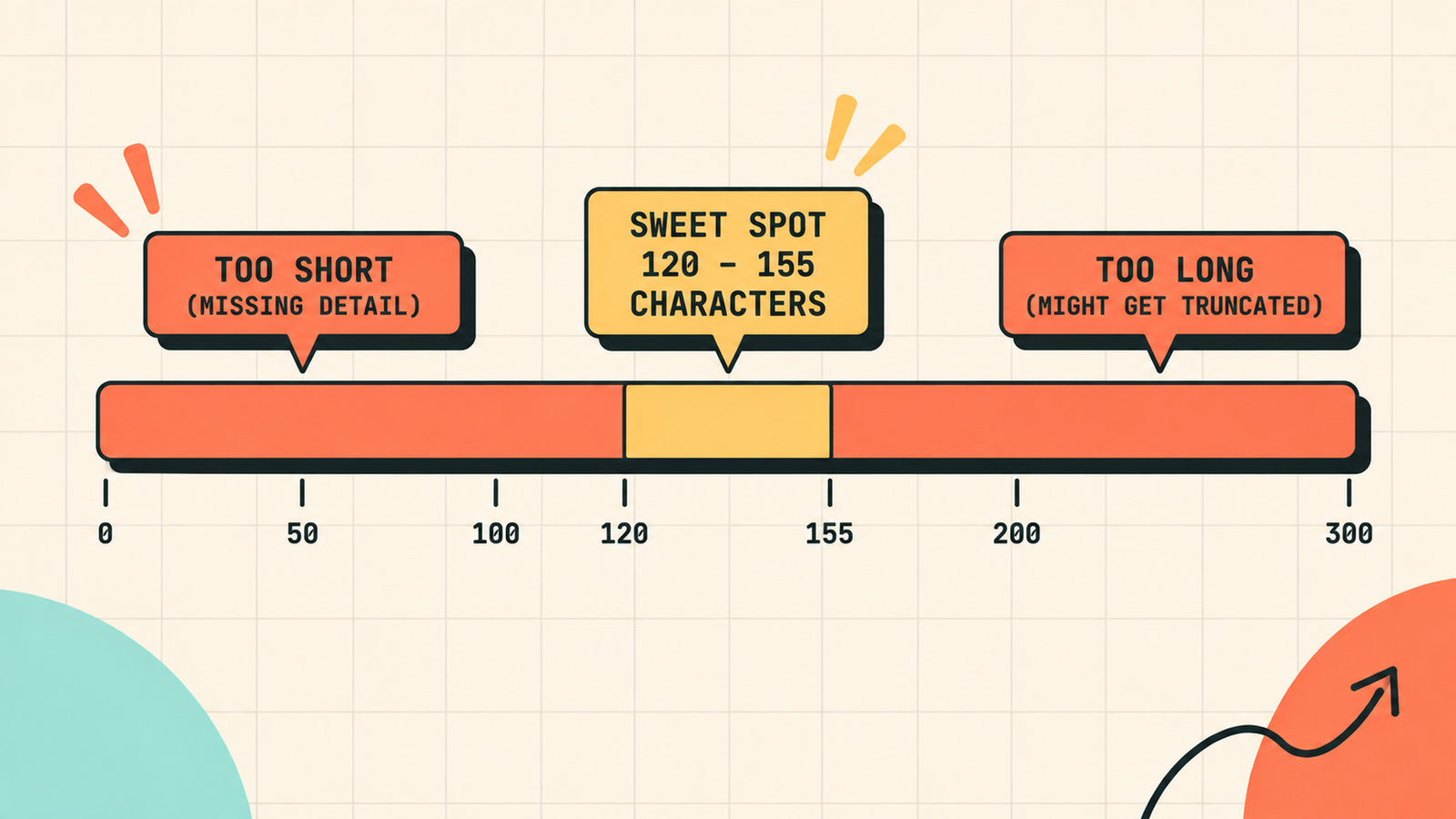
Google truncates descriptions that are too long and ignores ones that are too short. The sweet spot is between 120 and 155 characters. Going slightly over is fine since Google may show up to about 160 characters on desktop, but mobile cuts off earlier. The safest range is 140 to 155 characters: long enough to say something useful, short enough to not get cut off.
How to write a meta description that gets clicks
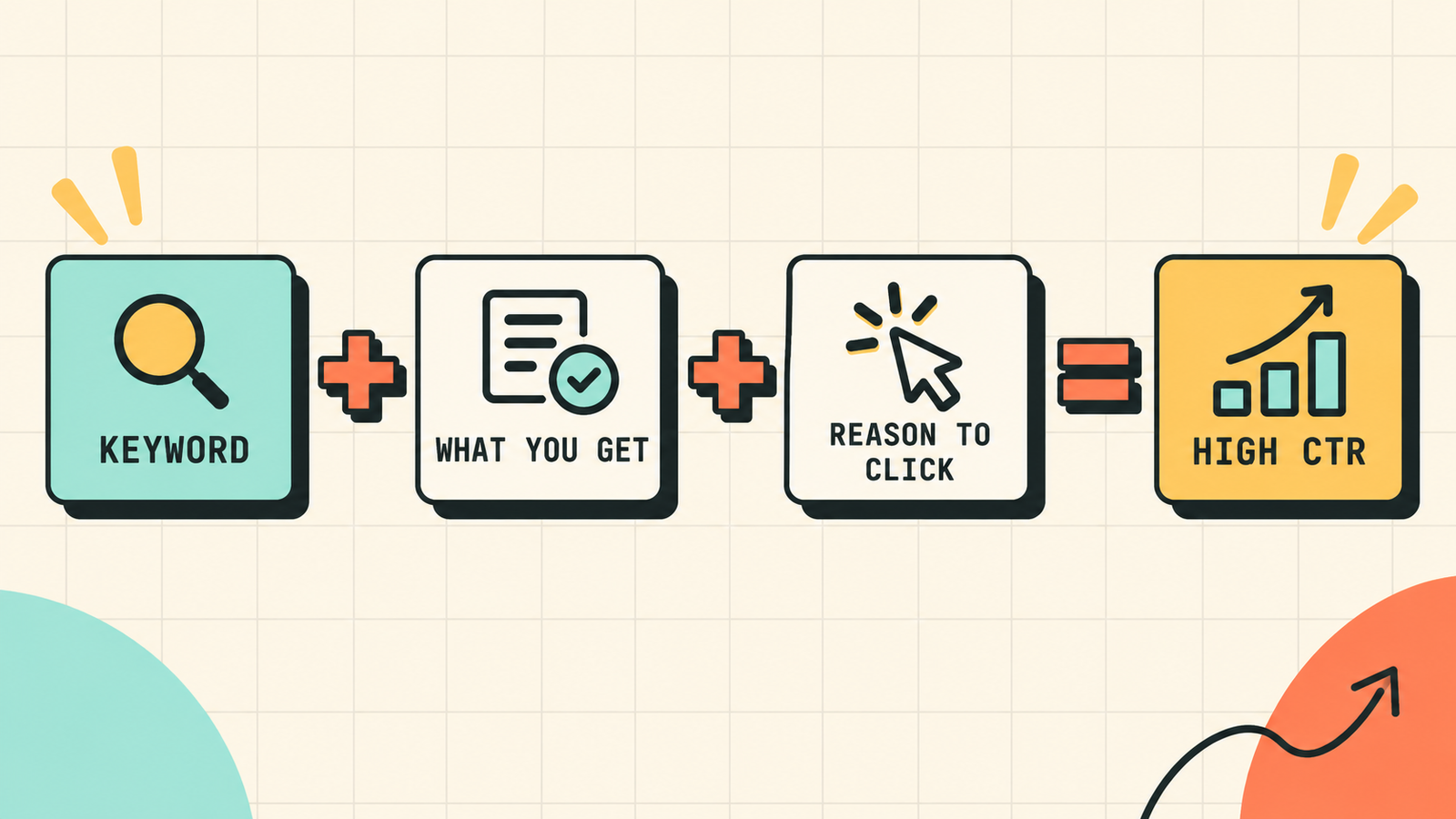
Use a simple three-part formula. First, start with the keyword or topic so the searcher sees relevance immediately. Google holds the matching terms, which draws the eye. Second, state what the page delivers in specific terms: a checklist, a comparison, a step-by-step guide, a list of tools, pricing data. Third, add a reason to click without being clickbait: mention specific numbers, name what makes it useful, or hint at what they will learn.
How to write meta descriptions by page type
Different pages need different approaches.
Blog posts and guides
Focus on what the reader will learn and why this guide is worth their time. Be specific about what it covers and the format (checklist, step-by-step, comparison).
Example: "How to do keyword research step by step. Find keywords with real volume and low difficulty, match search intent, cluster topics and prioritize for SEO."
Product pages
Focus on what the product does and why the buyer should click. Include the key benefit, a differentiator, and a call to action or urgency.
Example: "Lightweight running shoes with responsive cushioning and breathable mesh. Free shipping, easy returns. Shop the range."
Service pages
Focus on the outcome the client gets and why this provider is the right choice. Mention the service, the audience, and a trust signal.
Example: "SEO and organic growth agency for D2C and edtech brands. We grow your organic traffic and lower your CAC. Free audit included."
Category and collection pages
Focus on what the visitor will find and how many options they have. Keep it broad enough for the category but specific enough to be useful.
Example: "Browse 120+ wireless headphones from top brands. Compare features, prices, and ratings. Free shipping on orders above 999."
Homepage
Focus on what the business does, who it serves, and the primary benefit. This is your brand's elevator pitch in 150 characters.
Example: "LetMeRank helps D2C, edtech, and fintech brands grow through SEO, content, and AI search. Start with a free audit of your biggest opportunities."
Meta description examples: good vs bad
| Bad example | Good example | |
|---|---|---|
| Blog | "This article is about SEO and how it works. Read to learn more." | "What is SEO and how it works: crawl, index, rank. The 4 types, key ranking factors, and how to start. Beginner's guide." |
| Product | "Great product at a great price. Buy now!" | "Noise-cancelling wireless earbuds with 40hr battery. IPX5 waterproof. Free returns, 1-year warranty. Shop now." |
| Service | "We are a digital marketing company." | "SEO agency for D2C brands. Grow organic traffic, lower CAC, rank in AI search. Free audit included." |
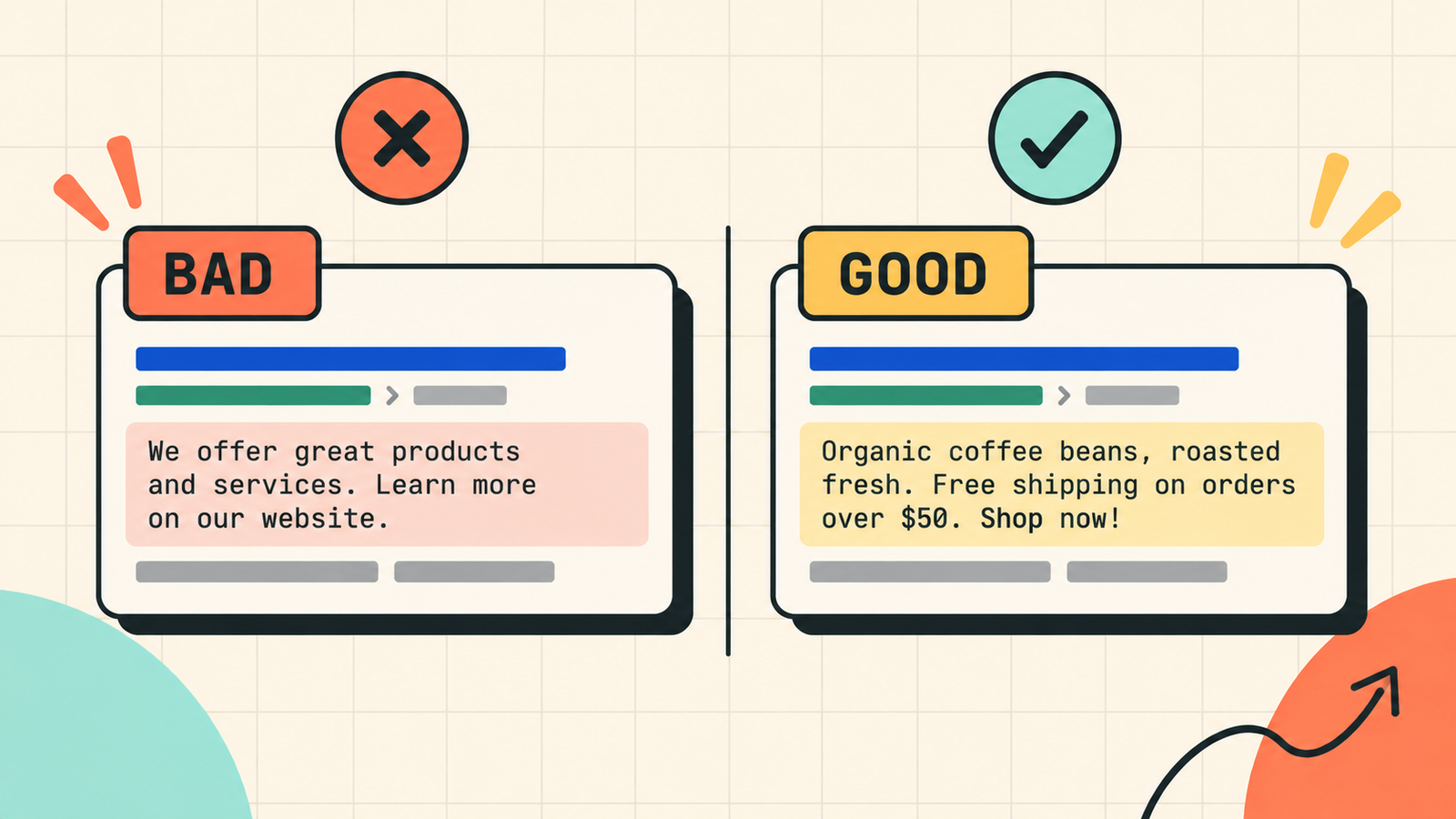
The pattern: bad descriptions are vague and generic. Good descriptions are specific, benefit-focused, and tell the searcher exactly what they will get.
Should you include your keyword in the meta description?
Yes. Include your primary keyword naturally in the description. When the keyword matches the search, Google holds it in the results, which makes your listing stand out visually and signals relevance to the searcher. Do not stuff it: one natural use is enough. The description should read like a compelling summary, not a keyword list.
What happens if you do not write a meta description?
Google generates one automatically by pulling text from the page that it thinks matches the search query. Sometimes this works fine. Often it pulls an awkward sentence fragment, a navigation label, or something completely unhelpful. By writing your own, you control the message. Leaving it blank means leaving your click-through rate to Google's automated judgment, which rarely produces the most compelling result.
We'll show you exactly how to write meta descriptions that earn more clicks.
Get a clear, data-backed plan to optimise your meta descriptions and on-page SEO across your site, lifting traffic without changing your rankings.
How to write meta descriptions for Rank Math
If you use Rank Math (which your WordPress site does), writing meta descriptions is straightforward. Edit any post or page, scroll to the Rank Math SEO section, and find the "Description" field. Type your description there. Rank Math shows a character counter and a preview of how your listing will look in search results. It also scores your description as part of its SEO analysis: having a description with the focus keyword earns points toward a higher score. Use the preview to check that your description reads well and does not get cut off.
How to check and improve existing meta descriptions
If you already have published pages, audit them. Export your pages using Screaming Frog or check them in Rank Math's SEO Analysis. Look for pages with missing descriptions, duplicate descriptions (the same text on multiple pages), descriptions that are too short (under 70 characters) or too long (over 160), and descriptions that are generic and do not mention what the page specifically covers. Fix the worst offenders first, starting with your highest-traffic pages, since improving the CTR on a page that already gets thousands of impressions produces the most immediate traffic gain.
Can meta descriptions affect AI search?
Indirectly, yes. AI systems like ChatGPT, Perplexity, and Google AI Overviews often pull from the same content Google indexes, and a well-written meta description helps those systems understand what your page is about and whether it is relevant to a query. While AI answers typically pull from body content rather than meta tags, a clear, accurate description contributes to the signals that determine whether your page gets cited. Writing a strong description is one small piece of the larger quality picture.
Common meta description mistakes
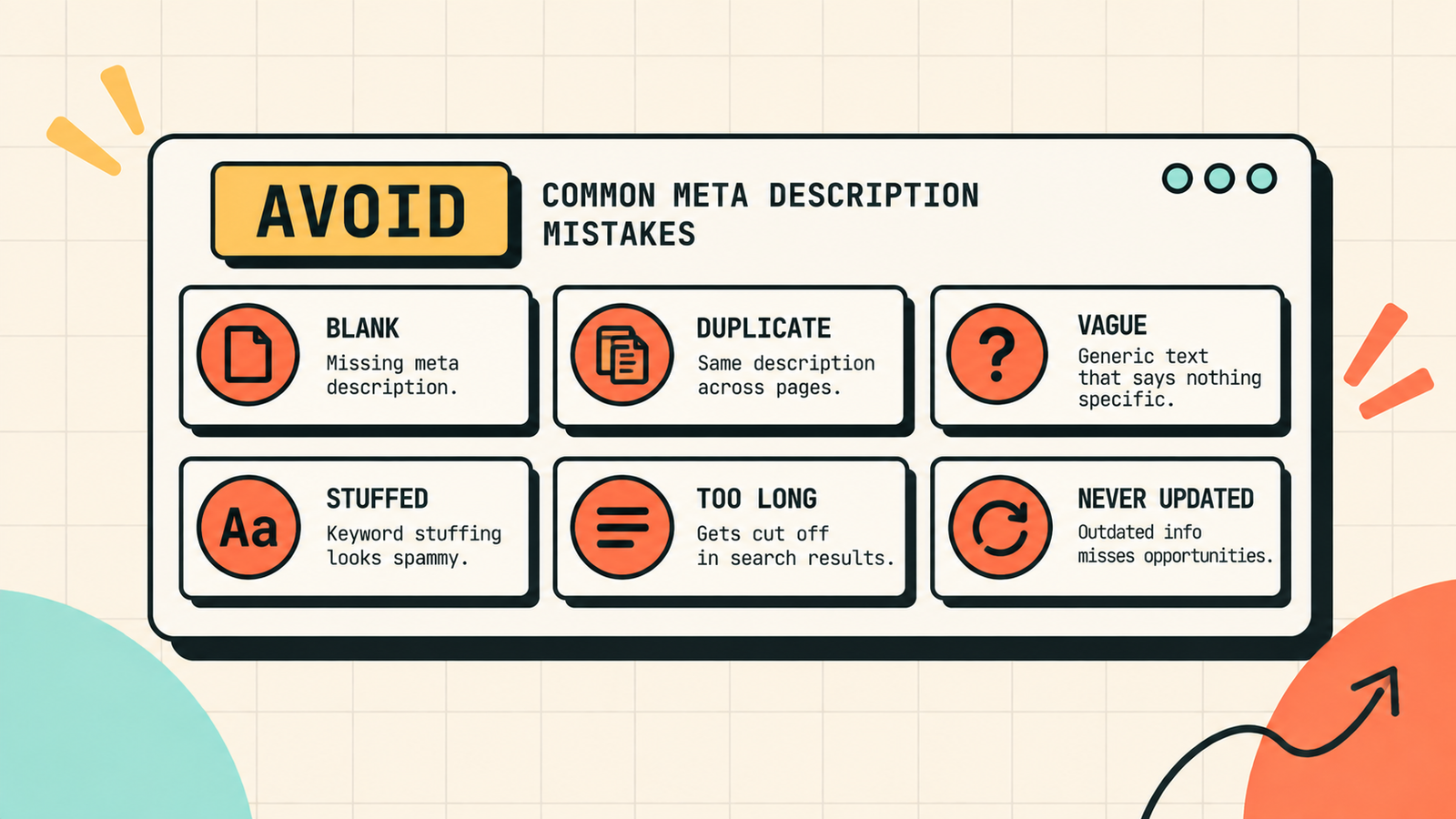
A few patterns waste this opportunity. Leaving the description blank lets Google pick something random. Duplicating the same description across many pages means none of them is optimised for the specific search. Writing vague, generic text ("learn more about our services") tells the searcher nothing useful. Stuffing keywords makes it unreadable and spammy. Going over 160 characters means the most important part may get cut off. And writing descriptions once and never updating them means they get stale as your content evolves. Write a unique, specific, compelling description for every important page, check the character count, and update them when the page content changes significantly.

How to A/B test your meta descriptions
You do not need a fancy testing tool to test meta descriptions. The simplest method is to rewrite the description on a high-impression page, wait two to four weeks, then compare the CTR before and after in Google Search Console. If the new description gets a higher click-through rate at the same average position, it won. If not, try a different angle. Focus testing on your highest-impression pages first, since even a small CTR improvement on a page with 10,000 monthly impressions produces hundreds of additional clicks. Over time, testing and improving your top ten descriptions can lift site-wide traffic meaningfully without publishing any new content at all.
What Is Domain Authority and How to Improve It
How to Write a Blog Post That Ranks on Google (Step by Step)
The bottom line
A meta description is your one chance to sell the click in the search results. Write it with a formula: keyword first, specific benefit, reason to click, all within 140 to 155 characters. Tailor it to the page type. Include the keyword naturally. Never leave it blank. And audit your existing descriptions to fix the ones that are missing, generic, or too long. A better description on a page that already ranks is one of the fastest, easiest ways to get more traffic without changing your position.
If you want experts to optimise your meta descriptions and on-page SEO across your site, LetMeRank handles on-page optimisation as part of every SEO engagement, starting with a free audit.











